
Running an eCommerce business involves countless moving parts, from inventory management and order processing to shipping, marketing, and customer support. As your store grows, managing these tasks manually can become overwhelming and inefficient. To stay competitive and profitable, retailers must find ways to simplify eCommerce operations and reduce manual work using automation, integration, and smart technology.
This guide explores how automation and digital tools can streamline processes, minimize errors, and boost productivity, so you can focus on growth instead of repetitive tasks.
Key Takeaways
- Manual order and inventory processes don’t just cost time, they cost real money once returns, stockouts, and fulfillment errors are added up.
- A warehouse management system typically pays for itself somewhere between a few dozen and around 100 orders a day, depending on complexity, not before.
- Third-party logistics usually makes sense under roughly 50 to 200 orders a day; past that range, in-house fulfillment often becomes more cost-effective.
- Simplifying operations isn’t one fix, it’s connecting the systems you already run so they stop working against each other.
In This Guide
- The Importance of Simplifying eCommerce Operations
- Identify Pain Points in Your Workflow
- Connect Your Core Systems Instead of Running Them Separately
- Simplify Order Management for Your Online Store
- When to Adopt a Warehouse Management System
- Third-Party Logistics vs. In-House Fulfillment
- Handling Returns Without Letting Post-Purchase Chaos Eat Your Margin
- Use a Unified Dashboard for Multi-Channel Sales
- Enhance Customer Experience Through Automation
- Optimize Accounting and Financial Management
- Train Your Team and Monitor Performance
- Frequently Asked Questions
The Importance of Simplifying eCommerce Operations
eCommerce success depends not only on great products and marketing but also on efficient backend operations. When tasks like order fulfillment, product updates, and inventory tracking are handled manually, it increases the risk of stock discrepancies and overselling, delayed orders, time-consuming data entry, and staff burnout. Simplifying your workflow with automation eliminates bottlenecks and keeps day-to-day operations running smoothly enough to scale without chaos.
Identify Pain Points in Your Workflow
Before implementing solutions, identify the areas in your process that consume the most time or lead to errors: manual inventory updates that don’t sync between platforms, order management done by hand, product information scattered across multiple channels, and customer communication sent manually instead of automatically. Once you know where the inefficiency lives, you can prioritize the automation that actually moves the needle instead of guessing.
Connect Your Core Systems Instead of Running Them Separately
Most of the manual work in a growing eCommerce business comes from one root cause: systems that don’t talk to each other. When your POS, your online store, your accounting software, and your inventory tracker all run independently, someone has to manually reconcile them, and that’s where errors creep in.
In the accounts we’ve worked with, the businesses still reconciling this by hand aren’t lacking effort, they’re lacking a single source of truth for their inventory count, and that gap is exactly where the errors start.
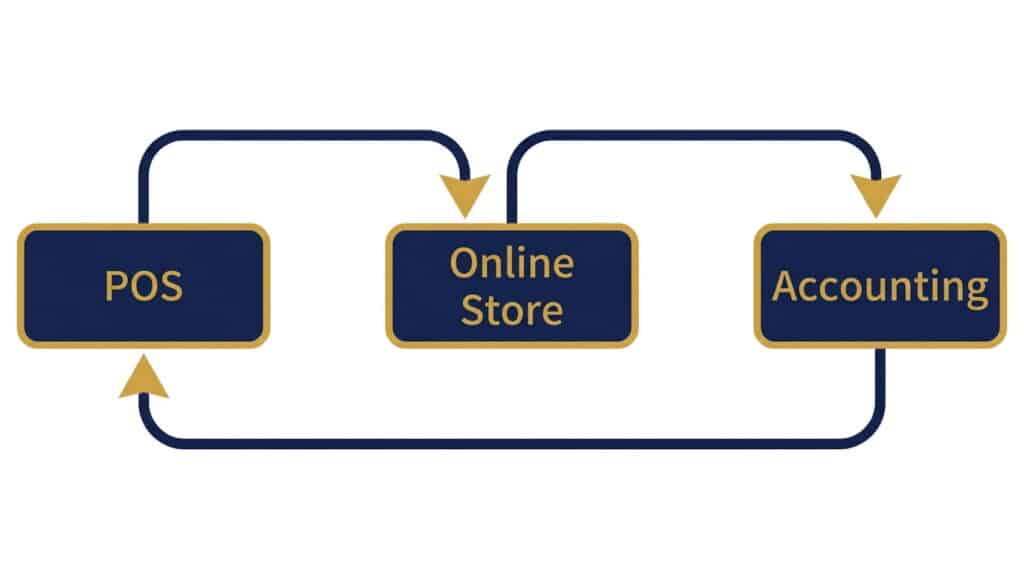
Integrating your POS system with your eCommerce platform synchronizes sales, inventory, and customer data in real time, so a sale on one channel updates stock everywhere else immediately instead of waiting for someone to notice the mismatch.
Platforms like Realtime POS connect multiple marketplaces, including Shopify, WooCommerce, and Amazon, to a single system, which is what actually eliminates the manual reconciliation, not just the individual automation tools layered on top of a disconnected setup. Real-time inventory sync and the real cost of manual inventory tracking cover this specific failure mode in more depth.
Simplify Order Management for Your Online Store
Order management for an online store is a different problem than order management inside a physical shop. Online orders arrive continuously, often from multiple channels at once, and a customer expects a confirmation and a tracking update without anyone manually checking a queue.
The fix isn’t more staff watching the order screen, it’s routing: orders should flow automatically to the right fulfillment location, generate shipping documentation without manual entry, and trigger a tracking update the moment status changes. That’s what actually reduces the customer service tickets asking where’s my order, not a faster response time to the tickets themselves.
If you’re looking specifically at how the Sales Order module works inside the POS itself, our guide to the Sales Order feature covers that in detail, this section is about the broader online-store workflow around it.
When to Adopt a Warehouse Management System
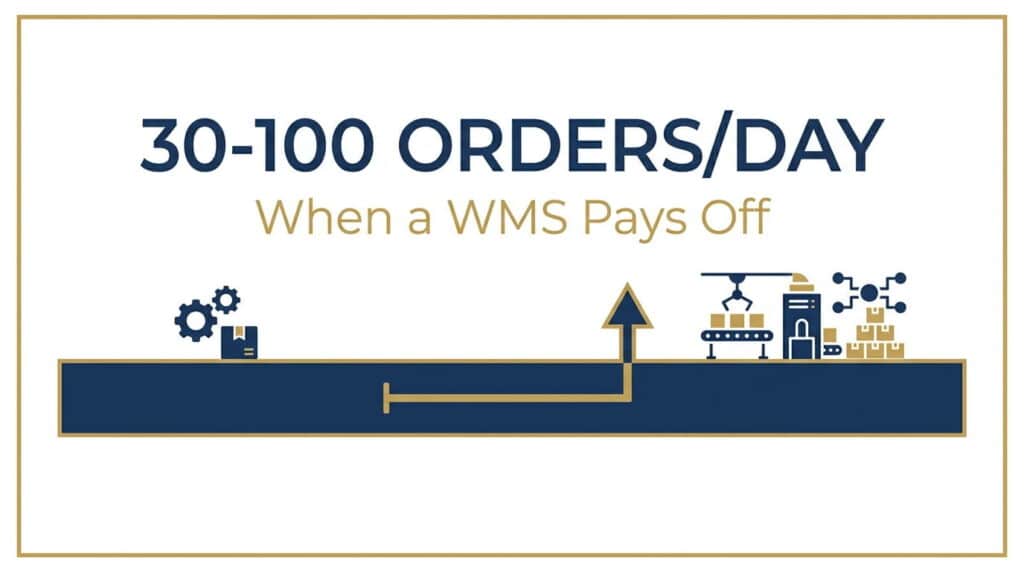
Most small retailers can run on spreadsheets and manual counts early on. That stops being true somewhere between a few dozen and around 100 orders a day, depending on how many SKUs you’re tracking, the point where manual picking and stock tracking start producing enough errors that a warehouse management system pays for itself in reduced mistakes and labor time.
If you’re well below that range, a WMS is probably premature. If you’re above it and still tracking inventory by hand, that’s the specific gap worth closing next.
Third-Party Logistics vs. In-House Fulfillment
This decision usually comes down to volume. Under roughly 50 to 200 orders a day, a third-party logistics provider is typically the more cost-effective choice, you’re paying for infrastructure you’d otherwise have to build yourself. Past that range, with steady growth, in-house fulfillment often becomes cheaper per order, and many retailers land on a hybrid: in-house for their steady baseline, a 3PL for overflow or distant regions.
Neither option is universally right, the volume range is the actual decision point, not a general preference for control versus convenience.
Handling Returns Without Letting Post-Purchase Chaos Eat Your Margin
Returns are where a lot of simplified operations quietly fall apart. According to a joint report from the National Retail Federation and Happy Returns, retailers projected $890 billion in returns for 2024, representing 16.9% of annual sales. That’s not a niche cost, it’s a meaningful share of revenue that a manual, ad hoc returns process makes worse, not better.
Automating the returns workflow, generating a return label automatically, updating inventory the moment a returned item is scanned back in, and triggering a refund without a manual review step for standard cases, cuts the operational drag returns otherwise create.
Use a Unified Dashboard for Multi-Channel Sales
As more eCommerce businesses expand to multiple marketplaces, managing each platform separately becomes time-consuming. A unified dashboard consolidates data from every online store into one view, letting you monitor performance, update product listings, and track orders and inventory in real time without logging into four separate systems every morning.
Enhance Customer Experience Through Automation
Simplifying operations isn’t only about internal efficiency, it changes what the customer experiences too. Automated follow-ups, self-service order tracking, and basic support handled by a chatbot free up your team to focus on the situations that actually need a person, instead of spending that time on routine status questions.
Optimize Accounting and Financial Management
Accounting is another area where manual work compounds quickly. Integrating your sales channels with accounting tools like QuickBooks keeps sales and expense records updated in real time, reduces manual entry errors, and gives you a clearer, more current picture of financial performance without a separate reconciliation step at the end of every month.
Train Your Team and Monitor Performance
Automation doesn’t remove the need for people who understand how the systems work. Your team needs real training on the new workflow, not just a rollout announcement, and ongoing performance monitoring to confirm the automation is actually delivering the results it was supposed to. Encourage feedback and keep refining the workflow rather than treating the initial setup as finished.
Frequently Asked Questions
How can I simplify order management for my online store?
Connect your POS, online store, and shipping systems so orders route automatically instead of being tracked by hand, and automate order confirmations and tracking updates so customer service isn’t answering routine status questions manually.
How many orders per day before I need a warehouse management system?
It varies by SKU complexity, but generally somewhere between a few dozen and around 100 orders a day is where manual picking and tracking start producing enough errors that a WMS pays for itself in reduced mistakes and labor time.
Should I use a 3PL or handle fulfillment in-house?
Under roughly 50 to 200 orders a day, a third-party logistics provider is usually more cost-effective. Above that range with steady growth, in-house fulfillment often becomes cheaper per order, and a hybrid approach is common.
How do I reduce the time spent processing ecommerce returns?
Automate the return label, inventory restock, and refund steps for standard returns so a person only needs to get involved for exceptions, not every return that comes in.
Ready to Stop Running Your Systems Separately?
See how Realtime POS connects your store, inventory, and fulfillment into one system, no manual reconciliation required.
Book a Free Demo View Pricing