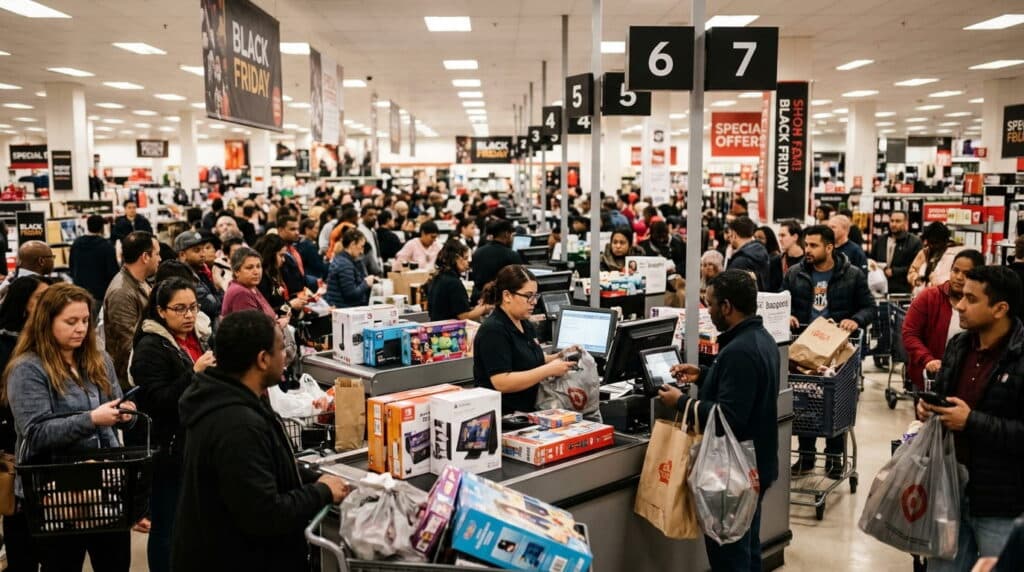
Your website says nine units. Your stockroom has six. The other three sold at the register sometime in the last hour and until your online listing catches up, whoever orders them next is buying inventory that doesn’t exist.
That mismatch is where almost all overselling actually comes from. Not bad luck. A sync problem. This guide covers why it keeps happening even at stores that call themselves “integrated,” what a real-time sync setup actually needs to do differently, and a five-minute test you can run today to find out if you’re currently exposed.
- What “real-time” actually means (and why most “integrated” systems aren’t)
- How overselling actually happens across channels
- The real cost of getting it wrong
- What a sync system needs to prevent it
- Real-time sync vs. safety stock buffers
- Audit your own setup for overselling risk
- BOPIS and ship-from-store: why they live or die on this
- Flash sales and limited drops
- FAQ
- Bottomline
Key takeaways
- Real-time (event-driven) sync updates your stock count the instant a sale happens, on any channel. Systems that refresh every 15–60 minutes through polling or batch jobs are what actually cause oversells “integrated” on a spec sheet doesn’t guarantee this.
- The highest-risk gap for hybrid retailers is the in-store sale. A walk-in purchase never touches your online inventory feed unless your POS and ecommerce platform write to one shared, live database.
- IHL Group’s most recent inventory distortion research puts the combined global cost of stockouts and overselling at roughly $1.7 trillion a year. Separately, a Feedonomics study found that price or availability errors are behind more than half of Google account suspension and product disapproval warnings and Google’s policy on this has only gotten stricter.
- Safety-stock buffers reduce oversells. They don’t eliminate them, and every unit held back is a unit you could have sold.
What “Real-Time” Actually Means (and Why Most “Integrated” Systems Aren’t)
“Integrated” gets stretched to describe almost any connection between a POS and an online store, but the mechanism behind that connection is what actually matters. There are two fundamentally different ways stock counts move between systems.
Event-driven (push) sync: the moment a sale rings up, in-store or online, the system writes the new count directly to a shared, live database. Every channel reads from that same source, so there’s no delay between “sold” and “reflected everywhere.”
Polling or batch sync: the system checks for changes on a schedule every 15 minutes, every hour, sometimes overnight. Between checks, every channel is working off stale numbers.
Most systems marketed as “integrated” or “connected” are running polling sync underneath, just on an interval short enough that it’s rarely obvious. A shorter interval only lowers your odds of a conflict. It doesn’t remove them. A product with two units left, three channels, and a 15-minute polling window will still oversell during a busy hour you’ve just made the accident harder to catch, not less likely to happen.
You can’t eyeball this from a product demo. Ask the vendor directly: does the stock count update because of a scheduled check, or because of the sale itself? “We sync every X minutes” is polling, no matter what the marketing page calls it. This is the specific failure mode RealtimePOS’s architecture was designed around.
There’s no scheduled check running in the background, no replication job copying numbers over on a timer, no export file sitting in a folder waiting to be picked up transactions write straight into one shared database the instant they happen, so every channel is reading the same number at the same moment.
How Overselling Actually Happens Across Channels
Overselling rarely comes from one dramatic failure. It comes from small structural gaps most retailers don’t notice until a customer does.
The in-store sale gap.
This is the one most inventory content aimed at online-only sellers misses, because it assumes every sale happens on a screen. If you run a physical location alongside an online store, every walk-in sale is a blind spot until proven otherwise. A customer buys the last unit at the register.
If your POS doesn’t push that change to your ecommerce platform instantly, your website keeps showing it as available sometimes for minutes, sometimes for the rest of the day. Anyone who orders it online in that window is now an oversold order. Of every gap on this list, this is the one worth fixing first: it’s the most common, the least visible, and the easiest to test for yourself (see the audit below).
The marketplace listing lag.
Selling on Amazon, eBay, or Facebook Marketplace adds another cached copy of your stock count, refreshed on its own schedule yours, or the marketplace’s own polling interval. A sale on your website can outpace what a marketplace has on file, especially during a promotion.
The multi-warehouse blind spot.
For retailers fulfilling from more than one location a backroom plus a warehouse, or several stores feeding one online store the real question isn’t “do we have this item,” it’s “do we have it in the location assigned to fulfill this order.” Systems that track total stock but not location-level stock will happily show an “available” item that’s actually sitting in a store three states away.
The Real Cost of Overselling
An oversold order is never just one lost sale.
- Refunds and cancellations the direct cost, plus the customer service time to process them.
- Marketplace penalties. This got more serious in 2026: Google has started classifying an active “buy” button on an out-of-stock product page as misrepresentation an account-level violation, not just a disapproved listing. A Feedonomics study found that price or availability errors already account for more than half of Google account suspension and product disapproval warnings, before that stricter rule even applies.
- Staff time someone has to catch the error, contact the customer, source a replacement or process a refund, and fix the listing by hand.
- Customer trust. A canceled order after the fact reads very differently to a shopper than an item simply being out of stock upfront. It tells them the business doesn’t have its own numbers straight.
At scale, this adds up fast. IHL Group’s most recent research puts the global cost of “inventory distortion” the combined cost of stockouts and overselling at roughly $1.7 trillion a year. That figure spans everything from single-location shops to national chains, but the underlying cause is consistent at any size: the systems recording what’s in stock don’t agree with each other in real time.
What a Sync System Needs to Actually Prevent It
Preventing overselling isn’t about buying “an integration.” It’s about confirming the one you have or the one you’re evaluating actually does the following:
- Deducts stock the instant a sale rings up, on any channel, with no delay. This is the core requirement; everything else supports it.
- Keeps working during an internet outage, and reconciles safely once connection returns. A POS that can’t sell offline isn’t a real-time solution it’s just a fragile one wearing the label.
- Tracks stock by location, not just in total, so an order only gets routed to a location that actually has the item.
- Lets you set a safety buffer per SKU for genuine edge cases in transit, damaged, held for a customer without leaning on the buffer as your only defense.
- Pushes updates rather than waiting to be asked. Every connected channel should hear about a stock change the moment it happens, not the next time it checks in.
If a system can’t do the first two, the rest don’t matter much. You’ll still oversell just less often, and with less warning.
Real-Time Sync vs. Safety Stock Buffers
A safety stock buffer holding back a few units per SKU that never show as available is the workaround most retailers reach for instead of fixing sync speed. It helps. It’s a patch, not a fix.
A buffer reduces the odds of an oversell without touching the delay that created the risk in the first place. It also has a real cost: every unit held back is a unit you can’t sell, even when you actually have it. For a retailer with thin margins or fast-moving inventory, that’s real revenue left on the table over a year.
| Approach | Update speed | Overselling risk | Setup effort | Best for |
|---|---|---|---|---|
| Real-time (event-driven) sync | Instant | Lowest | Moderate, one-time | Multi-channel, multi-location retailers |
| Batch/polling sync | Every 15–60 min | Moderate to high | Low | Very low sales velocity, single channel |
| Manual safety-stock buffer | Static | Reduced, not eliminated | Low | A backup layer alongside sync, not a replacement for it |
A buffer is a reasonable stopgap for a single-channel, low-volume shop. Once you’re selling across more than one channel, or fulfilling from more than one location, a buffer is quietly masking a problem that real-time sync actually solves.
Where This Fits: POS and Ecommerce Integration
Everything above depends on how your retail POS and ecommerce integration is actually wired together. Not every integration is built the same way, and the gap between a real-time architecture and a polling-based one is usually invisible right up until it costs you an order.
If you’re still comparing vendors, our full comparison of POS and ecommerce systems walks through what to ask before you sign anything including the systems that pair well with Shopify and WooCommerce specifically.
Audit Your Own Setup for Overselling Risk
You don’t need to guess. Run this five-minute test:
- Sell one unit in-store and time how long it takes to disappear from your online listing. Anything longer than a few seconds is a gap a customer can fall into.
- Check whether your system tracks location-level stock, or just one company-wide total.
- Unplug your internet for a minute during a slow stretch and ring up a sale. Does it complete? Does it reconcile correctly once you’re back online?
- Ask what happens during a scheduled sync failure. Is there an alert, or does the mismatch sit silently until a customer finds it for you?
- Pull your last 90 days of order cancellations and tag how many were caused by an item actually being unavailable at the time of sale. That number is your real, current overselling rate.
If more than one of these turns up a gap, the fix isn’t a bigger buffer. It’s a sync architecture that doesn’t run on a schedule in the first place.
BOPIS and Ship-From-Store Depend Entirely on Real-Time Inventory
Buy-online-pickup-in-store and ship-from-store both assume something that’s easy to promise and hard to guarantee: that the stock count a customer sees online reflects what’s physically on your shelf right now. Neither works without location-accurate, real-time visibility.
A BOPIS order placed against a unit that just sold in-store doesn’t just create an oversold item it creates a customer standing at your counter for a pickup that can’t happen. Ship-from-store has the same failure mode with a shipping delay bolted on. If you’re planning to offer either, real-time sync isn’t optional infrastructure sitting next to the feature. It’s the mechanism the feature runs on.
Flash Sales and Limited-Edition Drops: Where Sync Delay Hurts Most
Sync delay is forgiving when sales trickle in slowly. It stops being forgiving the moment a product moves fast a flash sale, a restock announcement, a limited drop. In a high-velocity window, a 15-minute polling interval isn’t a minor lag; it’s long enough for a SKU to sell out several times over across channels before any of them find out.
If your business runs promotions or limited releases, sync speed isn’t a nice-to-have. It’s the difference between a clean sellout and a stack of orders you can’t fulfill and an inbox full of people who feel lied to.
FAQ
Why do I keep overselling even though my POS and online store are “integrated”?
Most likely, your systems are on a polling or batch sync, updating every 15 minutes to an hour, rather than a real-time, event-driven one. “Integrated” only means the systems are connected, not that they update instantly. Ask your provider directly what triggers a stock update: a schedule, or the sale itself.
How often should inventory sync between my POS and online store?
Ideally, instantly, the moment a sale posts on any channel. Any scheduled interval, even a short one, leaves a window where a sale can happen on two channels at once. If instant sync isn’t available on your current system, the shortest interval you can get is a partial mitigation, not a fix.
Can I prevent overselling without a POS system?
To a degree. A dedicated inventory or order management tool can sync stock across ecommerce and marketplace channels. But if you also sell in person, a setup without a POS still has the same blind spot: in-store sales won’t be recorded anywhere the online system can see, unless something is tracking those sales in real time.
Does real-time inventory sync still work if my internet goes down?
It should. A well-built system keeps taking sales offline and reconciles stock counts the moment connectivity returns, rather than blocking checkout entirely. If your current system can’t sell offline at all, that’s a separate but related risk worth addressing.
What’s the difference between real-time and batch inventory sync?
Real-time sync updates stock the instant a transaction happens, across every connected channel. Batch sync waits for a scheduled interval, often 15 minutes to an hour, sometimes longer, before checking for and applying changes. The gap between those updates is exactly where overselling happens.
The Bottom Line
If you sell through more than one channel, including a physical counter, a system that “integrates” your POS and online store but updates on a schedule isn’t solving the problem it claims to. Find out whether your current sync is event-driven or interval-based before you assume you’re covered, and treat a safety-stock buffer as a supplement to real-time sync never a replacement for it. The fix isn’t more caution around the numbers. It’s numbers that are already accurate the moment they change.