
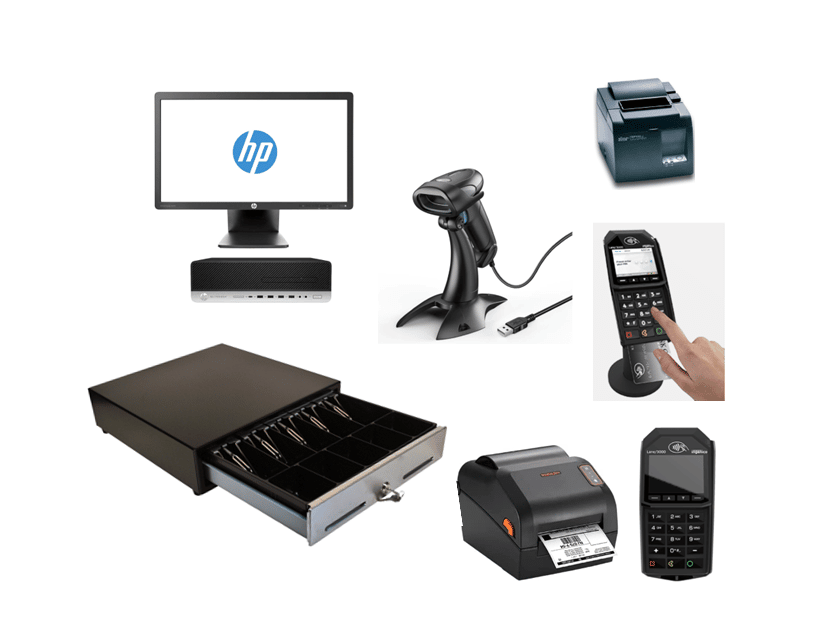
Running a retail store on a cash register and a spreadsheet means you’re always a step behind, guessing at stock levels, reconciling sales by hand, and missing the patterns in your own data. A modern POS system fixes that by putting inventory, sales, and customer information in one place, updated in real time instead of at the end of the day.
Key Takeaways
- A POS system’s real value isn’t the checkout screen, it’s the inventory, reporting, and customer data working together automatically.
- Nine specific benefits below, each tied to a real capability, not a generic industry claim.
- The two most overlooked are omnichannel sync and offline reliability, both of which determine whether a POS actually holds up during your busiest days.
Table of Contents
- Real-Time Inventory Management
- Sales Reporting and Forecasting
- Targeted Marketing Tools
- Customer Data Tracking and Loyalty
- Omnichannel and Multi-Channel Sales
- Cloud-Based Reliability, Including Offline Mode
- Modern, Flexible Payment Acceptance
- Enhanced Security
- Flexibility to Customize as You Grow
- Works with the Tools You Already Use
- Frequently Asked Questions
Real-Time Inventory Management
A POS system tracks stock the moment a sale happens, not at the end of the day when someone finally counts what’s left. That single change prevents two expensive mistakes: promising a customer an item you don’t actually have, and over-ordering something that’s already sitting in the back room.
In the stores we work with, the retailers who struggle most aren’t the ones with bad inventory data, they’re the ones with inventory data that’s a day or two behind reality. Real-time tracking closes that gap entirely.
Sales Reporting and Forecasting
Sales, inventory, and staff performance reports that used to take hours to compile by hand are available instantly. That matters less for the report itself and more for what it lets you do with it: spot which products are actually driving revenue, catch a slow-moving category before it becomes a markdown problem, and forecast next season’s ordering based on real numbers instead of a gut feeling.
We’ve seen retailers cut their end-of-month reporting process from a full day of manual spreadsheet work down to a few minutes, the data was always there, it just wasn’t accessible until now.
Targeted Marketing Tools
Retail POS systems come with built-in tools for segmenting customers and running targeted promotions, email campaigns to repeat buyers, postcard mailings to a specific zip code, or a loyalty offer timed to a customer’s last purchase. The advantage over generic mass marketing is that every message is based on what someone actually bought, not a guess.
A boutique running a POS-driven loyalty list, for example, can send a restock alert only to customers who bought that exact item before, instead of blasting every subscriber and diluting the response rate.
Customer Data Tracking and Loyalty
A POS system quietly builds a purchase history for every customer, what they bought, how often, and when. That data is what makes a loyalty program actually work, and it’s also what lets staff make a genuinely useful recommendation at checkout instead of a generic upsell.
Over time, that history becomes a genuine asset: you can identify your highest-value repeat customers and treat them differently, not just guess who they might be.
Omnichannel and Multi-Channel Sales
A retail POS today needs to work the same way whether a sale happens at the counter or on your website. Ecommerce integration syncs inventory, orders, and customer data across every channel automatically, so a sale on Shopify updates the same stock count your in-store register uses, and vice versa. Without that sync, running sales across more than one channel becomes a manual reconciliation problem instead of a growth opportunity.
Cloud-Based Reliability, Including Offline Mode
Cloud hosting means your data updates and backs up automatically, with no server closet to maintain. Just as important: a good Shopify-connected cloud POS still works when the internet goes down. Offline mode lets you keep ringing up sales during an outage, then syncs everything automatically once connectivity is back, so a lost connection doesn’t mean a lost sales day.
This isn’t a hypothetical, a single afternoon of downtime during a Saturday rush is a real, calculable loss in sales. Offline mode is what keeps that from happening.
Modern, Flexible Payment Acceptance
Customers expect to pay however is easiest for them: card, mobile wallet, or tap-to-pay, not just cash. A POS system built to accept all of these without separate hardware for each one keeps checkout fast regardless of how someone chooses to pay. That flexibility also matters at the register itself: staff isn’t fumbling between two different machines depending on how a customer wants to pay, which keeps the line moving during your busiest hours.
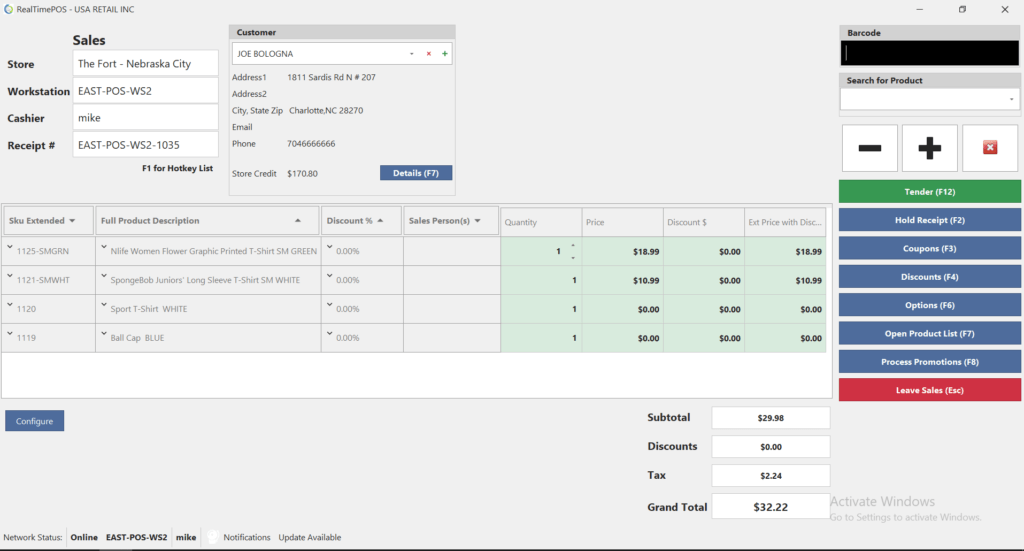
Enhanced Security
Retail POS systems handle sensitive payment data, which means built-in encryption and secure login aren’t optional extras, they’re what keeps a data breach from becoming your business’s story instead of a competitor’s cautionary tale. That protection matters most during a chargeback dispute or an audit, moments when weak security becomes expensive fast, not just theoretical.
Flexibility to Customize as You Grow
A POS system should adapt to your business, not the other way around. Receipts, product categories, pricing rules, and user permissions should all be configurable, so the system that works for a single location still works cleanly once you add a second one. That flexibility is what separates a system you’ll still be using in three years from one you’ll be replacing the moment you open a second location.
None of these benefits work in isolation. Inventory data that’s accurate but never turns into a report doesn’t help you make better ordering decisions. A loyalty program without accurate purchase history is just a discount code. The real value of a modern POS system is that all nine of these run on the same data at the same time, one system, one number, updated the instant something happens on the floor or online. That’s the difference between a POS system that’s just a faster cash register and one that actually runs the operational side of your business.
Works with the Tools You Already Use
A POS system that operates in isolation creates more work, not less. RealtimePOS integrates with accounting software, ecommerce platforms, and marketing tools, so a sale doesn’t just ring up, it flows into your books, your inventory, and your customer records automatically instead of requiring a separate manual entry in each system.
That same real-time record-keeping makes tax season less painful. Sales, refunds, and tax collected are tracked accurately as they happen, so filing means pulling a report instead of reconstructing a year of transactions by hand.
Ready to see these benefits in a specific platform? See the top 9 ways Realtime POS delivers them.
Frequently Asked Questions
What’s the difference between a basic POS and a modern retail POS system?
Do I need a cloud-based POS system for a single-location store?
How long does it take to switch to a new POS system?
Can a POS system help with online and in-store sales at the same time?
Ready to Put These Benefits to Work?
See how Realtime POS handles inventory, reporting, and omnichannel sync for your specific business, no generic demo, a real walkthrough.
No pressure, no obligation, just a real look at how it works.






