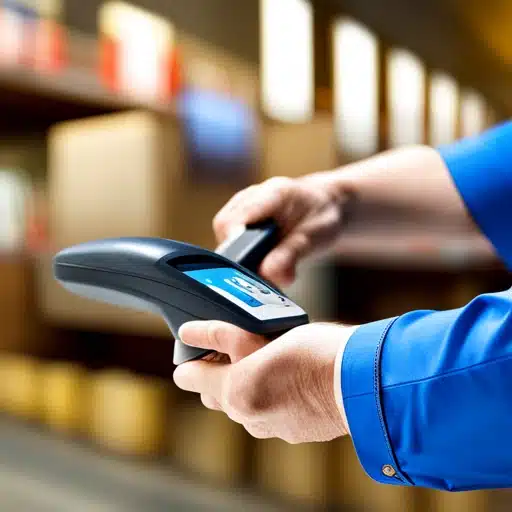
Retailers who sell electronics, appliances, or anything under warranty eventually hit the same question: how do you know which specific unit a customer bought, months or years after the sale. Serial number tracking answers that, and it’s usually simpler to set up than people expect, especially if it’s already built into the POS you’re running instead of bolted on as a separate system.
Key Takeaways
- Serial number tracking and lot/batch tracking solve different problems, using the wrong one creates more work, not less
- If your POS already supports serial tracking, a standalone inventory system is often an unnecessary added cost and another system to maintain
- Serial numbers matter most for warranty claims, recalls, and proving a product is authentic
- Setup is mainly a process question (when do you scan, who’s responsible), not a technical one
In This Guide
What Is Serial Number Tracking?
Serial number tracking assigns a unique identifier to each individual item, not each product type. Two identical laptops on the same shelf get two different serial numbers, so you can tell them apart even though everything else about them, price, description, category, is identical. That’s the core difference from a regular SKU, which describes a product, not a specific unit of it.
Do You Need Separate Software, or Does Your POS Already Cover This?
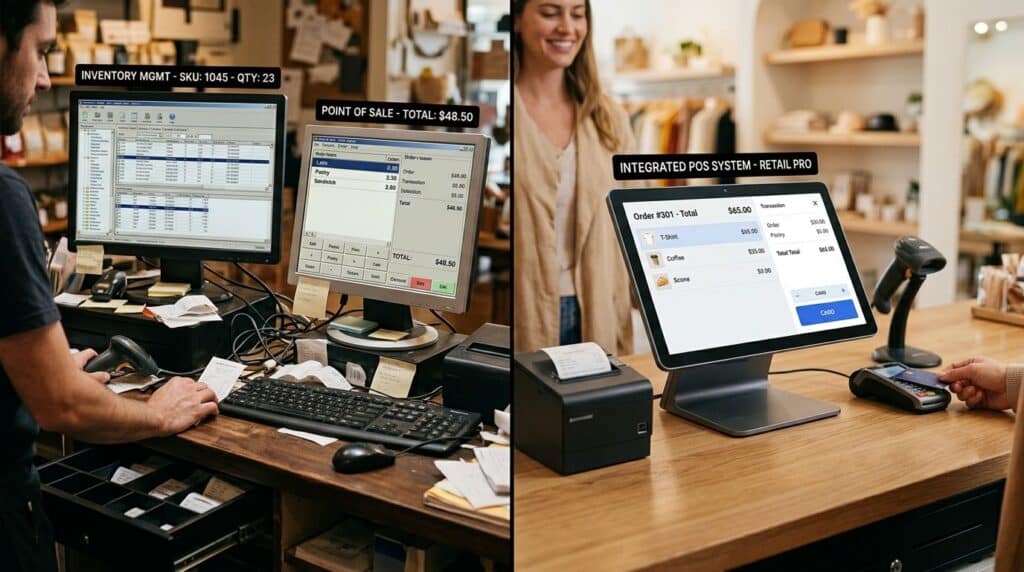
Most of what shows up when you search for serial number tracking software, or inventory management software more broadly, is built by warehouse-management companies selling a standalone system meant to sit alongside whatever you already use to ring up sales. That’s the right call for a distribution warehouse managing thousands of SKUs across multiple locations.
It’s often the wrong call for a retail store, where adding a second system means keeping two records in sync, training staff twice, and paying for software that overlaps with what a retail POS system can already do at the point of sale. If serial number tracking is built into your POS, receiving, scanning, and selling a serialized item happens in the same place you’re already ringing up every other transaction. Our full breakdown of how POS serial number tracking works covers the specific benefits in more depth.
Serial Number vs. Lot Number: They’re Not the Same Thing
These get confused often enough that it’s worth stating plainly. A lot or batch number identifies a group of items made or received together, useful for perishables, cosmetics, or anything where you’d need to recall an entire production run. A serial number identifies one specific unit. If you’re selling individually warrantied items like electronics or appliances, you want serial tracking. If you’re managing expiration dates or manufacturing batches, lot tracking is the right tool, and asking for the wrong one is a common way retailers end up buying software that doesn’t fit what they actually need.
Why It Matters: Warranties, Accuracy, and Counterfeit Protection
The most immediate benefit is warranty and returns handling. When a customer comes back with a claim, the serial number tells you exactly when and where that unit was sold, without digging through paper receipts or guessing.
The second benefit is accuracy. Serialized items are counted individually rather than as a batch, so a stock discrepancy points to a specific unit instead of a vague gap in the numbers.
The third is harder to see day-to-day but matters more than most retailers realize: counterfeit and gray-market goods are a large and growing problem in global trade. According to the OECD and EUIPO’s 2025 joint report, counterfeit and pirated goods accounted for an estimated 2.3% of global trade, roughly $467 billion, based on 2021 trade data. A verifiable serial number gives both the retailer and the customer a way to confirm a product is genuine, which matters most in exactly the categories such as electronics, designer goods, and branded equipment, where counterfeits are most common.
Getting Started Without Overhauling Your Workflow
Implementation is mostly a process decision, not a technical one. The main choice is when serial numbers get captured: at receiving, when stock arrives from a supplier, or at the point of sale, when the item is scanned out to a customer. Capturing at receiving gives you the most complete record, since you know exactly which units are in the building at all times, but it does mean an extra scan step during unloading. Capturing only at sale is faster to set up but leaves a gap in your records for anything still sitting on the shelf.
Whichever approach you choose, the tracking works through the same barcode scanning already built into your POS workflow, so it’s an extension of a process staff are already doing, not a new system layered on top.
In the systems we’ve helped retailers set up, the biggest failure point isn’t which capture method they choose, it’s picking one and then not enforcing it during a busy shift. A few units skip the scan during a rush, and the record has a gap that’s hard to trace back later. Whichever capture point you choose for your serial number tracking system, consistency matters more than which option you pick.
Frequently Asked Questions
Do I need separate inventory software, or can my POS handle serial number tracking?
What’s the difference between serial number tracking and lot or batch tracking?
How does serial number tracking help prevent counterfeit products?
Is serial number tracking worth it for a small retail store?
Can serial number tracking work with the barcode scanner I already have?
Related Reading
For the full picture, see our guide to POS serial number tracking benefits. Wondering how quickly your team can get up to speed on a new POS feature? Read Is a POS System Hard to Learn?. Weighing a different two-system decision? See POS vs. CRM: What’s the Difference and Do You Need Both?.
See Serial Number Tracking Built Into Your POS
No separate inventory system to buy, learn, or maintain.
Call (888) 365-0026 Book a FREE Demo