
Managing your business finances shouldn’t be complicated. RealTimePOS offers powerful integration with QuickBooks, the leading accounting software trusted by millions. Here’s exactly how your sales, receivables, and inventory data move into QuickBooks Online, step by step.
QuickBooks handles your accounting side, and Realtime POS connects the same real-time data across every sales channel you run, see how ecommerce integration ties it all together.

Here’s exactly how your sales, receivables, and inventory data move into QuickBooks Online, step by step.
QuickBooks Integration with Realtime POS
Streamlining Realtime POS Accounts Receivable with QuickBooks Integration
Efficient management of accounts receivable (AR) is a critical component of maintaining healthy cash flow and overall financial stability for any business.
QuickBooks, a leading accounting software, offers robust tools for integrating AR processes with our Retail POS System, allowing businesses to automate and simplify their invoicing and collections workflows.
Here’s a summary at how Realtime POS accounts receivable integrates with QuickBooks and the benefits it provides.
Accounts receivable integration facilitates the seamless connection between a company’s Accounts Receivable processes and its accounting software, in this case, QuickBooks.
This integration facilitates the synchronization of key data, such as invoices, payments, and customer information, ensuring accuracy and efficiency in financial management.
Pairing a retail POS system with QuickBooks, it offers a unified platform for managing sales and receivables.
Integrating with QuickBooks and retail POS systems is a strategic move for businesses aiming to optimize their financial operations. By leveraging its comprehensive features, companies can enhance efficiency, improve cash flow, and deliver superior customer experiences. As financial management continues to evolve, tools like QuickBooks remain indispensable for modern businesses.
If you’re still comparing POS systems and want to know why Realtime POS is a strong QuickBooks-compatible choice before diving into the technical details, see our POS system that integrates with QuickBooks overview.
Accounts Receivable charges/Invoices are sent from Realtime POS to customers, the Invoice summary total is sent to QuickBooks. Invoice details are accessed from Realtime POS.
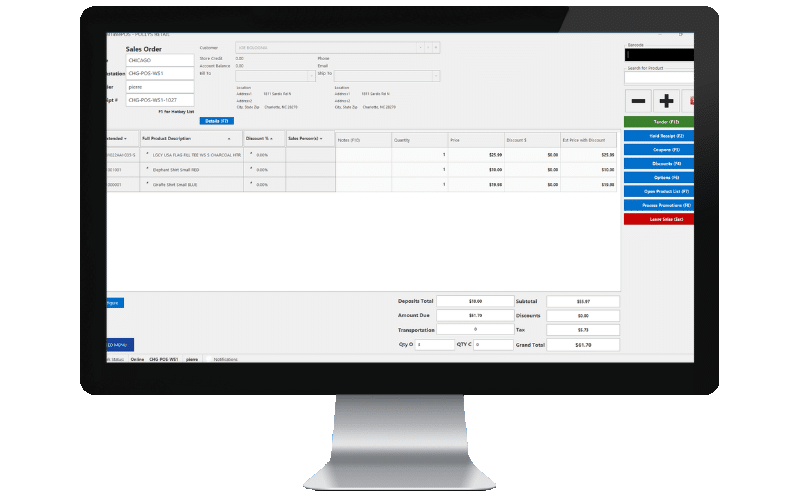
Setup the customer as AR approved, set their limit and customer can charge at the POS and charges are sent to QuickBooks in the customer ledger as a journal entry.
The integration enables real-time tracking of payments, providing insights into outstanding balances and overdue invoices. This feature helps businesses maintain a clear picture of their cash flow.
Find the customer record in Realtime POS and apply a payment towards their account in POS. Payments are sent to QuickBooks on the customer ledger as a journal entry.
By automating the invoicing process and providing real-time updates on payments, a POS system can make it easier for businesses to manage their cash flow.
Once a day at the end of the day each stores sales summaries are sent to QuickBooks as journal entries along with cost of goods sold, taxes and discounts so you have a accurate daily sales ledger for each store in QuickBooks online.
Payments are processed in Realtime POS. Realtime POS integrates with Shift4 Payments gateway.
Customers can pay invoices using credit cards, ACH transfers, or any other custom tenders. This convenience accelerates the payment process.
Internal reports in Realtime POS will list out all sent batches and any errors will be logged in the error report.
Purchase order receiving are sent to QuickBooks online as a payable entry in the supplier ledger.
Even on partial receiving. Keeps the vendor payables ledger accurate based on what was received from the original purchase order.
Runs as a service on the server, whether the computers are running or not. No exports or imports; once set up, it syncs automatically.

We don’t just offer a POS system, we offer accounting that actually stays in sync with your retail operations. Whether you’re setting this up for the first time or troubleshooting a specific sync issue, our team is ready to help.



















Discover how RealTime POS can help you streamline your operations and improve your bottom line.
Your Demo will include a customized walkthrough of Realtime POS catered to your company’s unique needs.