

Updated: October 9, 2026
81% of inventory operators say they want AI-powered tools. Only 11% actually use them, and 85% are still running inventory on spreadsheets. That gap matters if you’re choosing software right now: most retailers aren’t picking between cutting-edge and basic, they’re picking between “finally tracked properly” and “still guessing.” Here’s what actually separates the two.
Key Takeaways
- Real-time tracking, POS integration, and automated reordering are non-negotiable, everything else is a differentiator, not a requirement.
- Omnichannel capability in 2026 means BOPIS, ship-from-store, and inter-store transfers specifically, not just a vague “works online and in-store” claim.
- Inventory accuracy rate is the one metric that tells you whether you can trust a system’s other reports.
- Most retailers don’t need AI forecasting on day one, they need their current count actually to match what’s on the shelf.
Table of Contents
- What Is Retail Inventory Management Software?
- Why Retailers Need Effective Inventory Management
- Key Features to Look for in Retail Inventory Management Software
- How to Choose the Best Retail Inventory Management Software
- Benefits of Using the Right Inventory Management Software
- Frequently Asked Questions
What Is Retail Inventory Management Software?
Retail inventory management software replaces the version of inventory tracking most stores still run on: a spreadsheet, a notebook, or a manager’s memory of what’s in the back room. It tracks stock across every channel you sell on, in-store, online, or both, and tells you what’s in stock, what’s selling, and what needs reordering without anyone walking the floor to check.
A real system includes real-time tracking, barcode and RFID scanning, purchase order management, sales reporting, and integration with your POS and e-commerce platform. Automate those processes, and you cut manual errors, and you actually see what’s happening instead of reconstructing it after the fact.
Why Retailers Need Effective Inventory Management
Poor inventory control leads to overstocking, stockouts, or sales you never even know you lost. The right software keeps you balanced, meeting demand without parking cash in stock that isn’t moving.
Here’s what quality retail inventory management software actually gets you:
- Improved Accuracy: eliminate manual entry errors and work from a real stock count.
- Real-Time Insights: make decisions on current data, not last week’s.
- Faster Reordering: automate reorder points and supplier communication.
- Better Cash Flow: stop overstocking and free up cash for what’s actually selling.
- Scalability: manage multiple stores, warehouses, or online channels from one place.
Key Features to Look for in Retail Inventory Management Software
1. Real-Time Tracking
This is table stakes, not a differentiator. Every location, online or in-store, needs to reflect the same number the moment something sells. A system that updates on a delay is a system you can’t actually trust.
2. POS Integration
Your inventory software needs to be the same system as your POS, not a separate one you’re reconciling against it. Every sale should update stock automatically, no manual sync, no end-of-day correction.
3. Reporting and Analytics
Good reporting tells you what’s selling, what’s seasonal, and what’s dead weight. The metric that actually matters more than any single report is your inventory accuracy rate, how closely your recorded count matches what’s physically on the shelf. If that number is off, every report built on top of it is off too. We go deeper on how fast your stock is actually moving in our complete guide to inventory control, worth reading if you want the full mechanics.
4. Supplier and Purchase Order Management
Automated reordering and supplier tracking only work if purchase orders generate themselves at the right threshold, not when someone remembers to check.
5. Multi-Store and Multi-Channel Capabilities
In 2026, this needs to mean something specific, not just “works for multiple locations.” Look for real support for BOPIS (buy online, pick up in store), ship-from-store, and inter-store transfers. A system that only tracks separate silos per location isn’t multi-channel, it’s just multiple single-channel systems.
6. Barcode and RFID Scanning
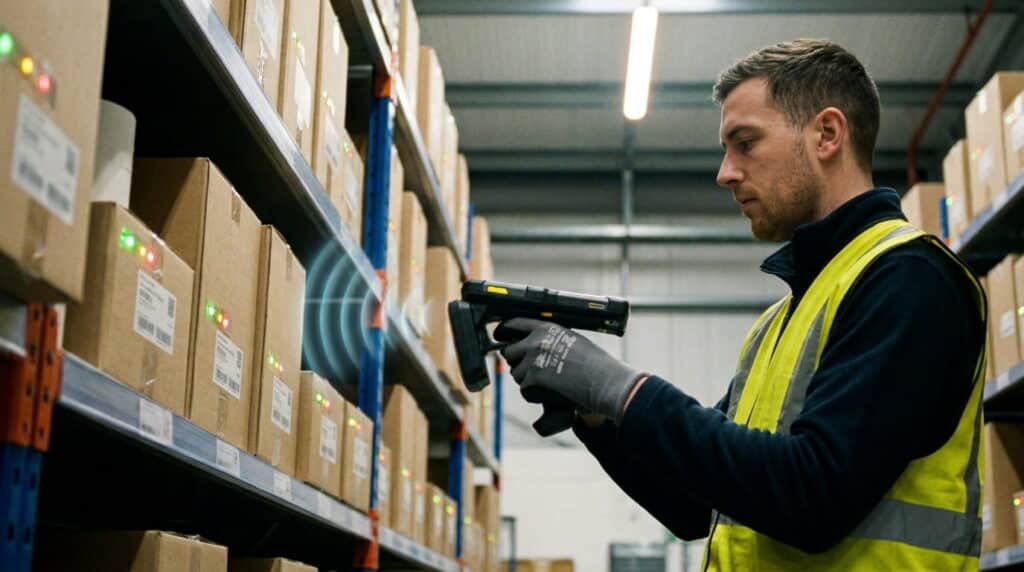
Barcode scanning is standard. RFID is increasingly expected for higher-volume retailers, it reads multiple items at once instead of one at a time, which matters a lot during a full count or a busy receiving day.
7. Cloud Accessibility
Cloud-based software means your data lives in one place, accessible from any device. For retailers running physical and online operations together, this isn’t optional.
8. Automated Reordering
Reorder points should trigger purchase orders automatically at a set threshold, not sit as a number someone has to remember to check manually.
How to Choose the Best Retail Inventory Management Software
1. Assess Your Business Requirements
Name your actual pain point first. Is it stock accuracy, supplier delays, or inconsistent reporting? That answer narrows the feature list fast.
2. Consider Your Business Size and Type
A small retailer may need a simple POS-integrated solution. A multi-location operation needs real reporting depth and multi-store support. The right fit depends on how complex your operation actually is, not how many features a vendor lists.
3. Prioritize Integration
If you already run a POS, accounting platform, or ecommerce solution, your new software needs to integrate with them cleanly. A system that doesn’t talk to what you already use just adds a second thing to reconcile.
4. Compare Pricing and Scalability
Look for a plan that fits your current budget and has room to grow. Some platforms charge per location or user, others scale differently, know which model you’re actually signing up for.
5. Evaluate Ease of Use
Your team uses this daily. If it takes a week to learn, it’s going to get worked around, not adopted.
6. Review Support and Security
Reliable customer support, regular updates, and real data protection matter more once something actually goes wrong than they do during a sales pitch.
7. Request a Demo
Ask for a guided walkthrough before you commit. RealtimePOS offers a free demo built around your actual setup, not a generic script, drawing on more than 50 years of combined retail systems experience to show you how a system actually handles your specific pain point before you buy anything.
Benefits of Using the Right Inventory Management Software
- Reduced Operational Costs: automate repetitive tasks, cut manual labor.
- Accurate Forecasting: predict demand and adjust stock proactively.
- Enhanced Customer Experience: popular items stay in stock.
- Centralized Control: manage every store and warehouse from one dashboard.
- Increased Profitability: less waste, tighter efficiency, better margins.
Conclusion
Choosing retail inventory management software isn’t about finding the longest feature list, it’s about matching real capability to your actual pain point. Real-time tracking and POS integration aren’t optional anymore, they’re the floor. Everything past that, omnichannel depth, RFID, reporting quality, is where the right choice and the wrong one actually diverge.
Frequently Asked Questions
Do I need AI features in retail inventory software, or is that overkill for a small store?
For most small retailers, no, not at first. Real-time tracking and accurate reorder points solve the majority of day-to-day problems. AI forecasting becomes more valuable once your basic count is already reliable and you’re managing enough volume or locations that manual forecasting breaks down.
What’s the difference between inventory management software and a POS system with inventory built in?
Standalone inventory software focuses purely on stock tracking and often needs to be connected to a separate POS. A POS system with inventory built in handles sales and stock as one system, so a sale and a stock update are the same event instead of two numbers you’re reconciling.
How much does retail inventory management software typically cost?
Pricing varies by vendor and model, some charge per location, others per register or per user, and some offer flat subscription tiers. Compare what’s actually included at each tier, not just the base price, since features like reporting depth or multi-store support are often gated behind higher plans.
What’s inventory accuracy rate, and why does it matter when choosing software?
Inventory accuracy rate measures how closely your recorded stock count matches what’s physically on the shelf. It matters because every other report, turnover, forecasting, reorder timing, is only as trustworthy as this number. A system that doesn’t help you keep this rate high isn’t doing its core job.
Can retail inventory software handle BOPIS and ship-from-store orders?
Not all of it. Genuine BOPIS and ship-from-store support requires real-time, location-level stock visibility, not just a single combined online/offline total. Confirm this specifically during a demo rather than assuming it’s included because the vendor lists “omnichannel” as a feature.
See What Real-Time Inventory Tracking Actually Looks Like.
POS integration, automated reordering, and multi-location visibility, built in, not bolted on.






