Updated: November 5, 2026
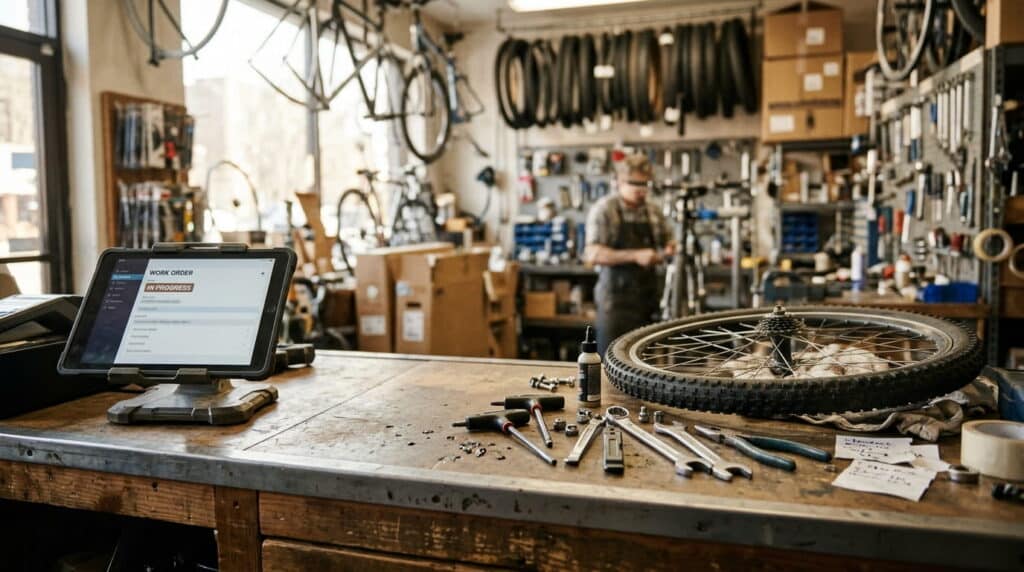
A bike mechanic pulls a wheel off a customer’s bike, writes the repair on a sticky note, and rings up a tube sale on the register five minutes later. Nothing connects the two. By the time the bike’s ready, nobody remembers which tube went on which job, and the shop’s inventory count stays wrong until the next physical count catches it.
That’s not a staffing problem, it’s a software problem: most retail POS systems were built to ring up a sale and stop there, with no idea what to do with a job that takes three days and touches inventory twice.
Key Takeaways
- A standalone repair tracker, separate from the POS, creates the exact gap this post is about
- Work orders need a real status field, not a sticky note or a notes box, that staff and customers can both check
- Parts pulled for a repair have to hit inventory the same way a retail sale does, or your counts drift
- Serial number tracking matters for repair and warranty work, not just theft prevention
- Deposits and split parts/labor billing are common asks, confirm directly with your provider before assuming they’re included
- This setup is for stores that regularly combine product sales with service work, not every retailer needs it
Table of Contents
- Why General Retail POS Breaks Down for Repair Work
- What a Work Order Actually Needs to Track
- Keeping Parts and Inventory in Sync
- Serial Numbers and Service History
- Who Actually Needs This
- What About Deposits and Parts/Labor Billing?
- Rolling This Out Without Making It a Project
- Frequently Asked Questions
Why General Retail POS Breaks Down for Repair Work
A checkout screen is built for one kind of transaction: item scanned, payment taken, receipt printed, done. A repair job doesn’t work that way. It opens when the customer drops something off, sits open for hours or days while parts get pulled and labor gets logged, and only closes when the customer picks it back up and pays. Most POS systems have no concept of “open” at all, so shops bolt on a second tracking method instead, a whiteboard, a spreadsheet, a notebook by the register, that never talks to the POS or the inventory count.
Once parts start moving between repairs, retail sales, and in some shops a second location, the stock gets hard to track fast, and that drags down cash flow and slows jobs waiting on a part nobody can locate, according to an industry discussion of repair shops expanding into parts retail. The gap isn’t staff competence, it’s two different jobs forced through a tool built for only one of them.
What a Work Order Actually Needs to Track
A work order that’s actually useful tracks the job from drop-off to pickup as one continuous record, not a sale that happens to reference a repair. It needs a real status field, options like “in progress,” “waiting on parts,” or “ready for pickup,” that both staff and the customer can check, instead of a status buried in a notes box nobody reads consistently. It needs to tie to the specific item brought in, not a generic line-item sale. And it needs to connect to inventory automatically the moment a part gets pulled against it, not at end-of-day reconciliation.
RealtimePOS’s Work Orders feature covers exactly this: a real status field staff and customers can both check, logged against the specific item instead of a general sale, connected to inventory automatically. That status field is the part that actually changes daily behavior, staff stop asking “is this one done yet” and start just checking the screen, because the answer is sitting in the same system they already use to ring up sales.
Keeping Parts and Inventory in Sync
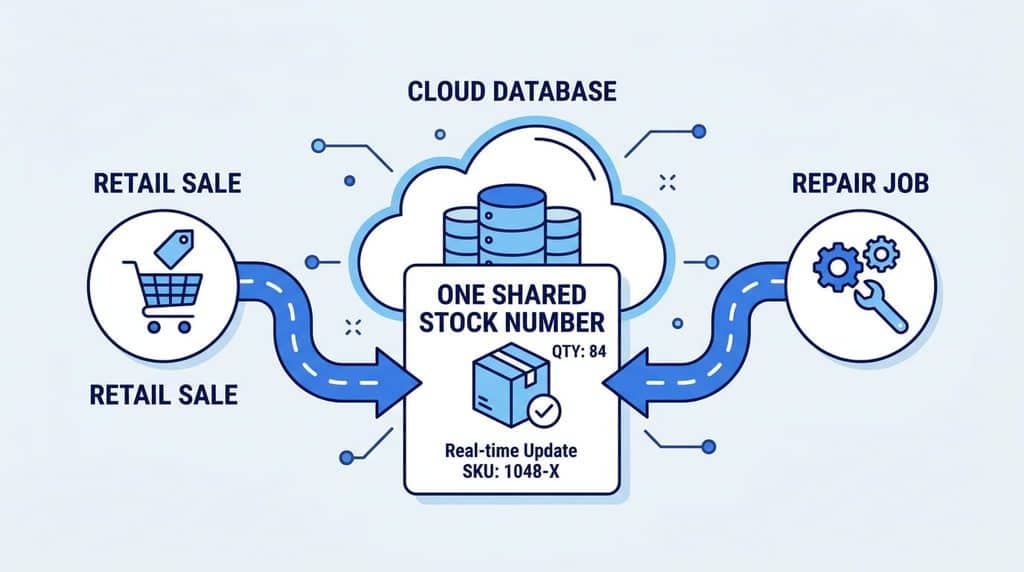
Every part pulled for a repair is still inventory leaving the shelf, it just didn’t go through a normal checkout. If that pull isn’t logged the same way a retail sale is, the count drifts, and drift compounds: a part that shows “in stock” but isn’t actually there wastes a tech’s time at the worst possible moment, mid-job. Parts availability was already named a top operational headache for independent repair shops even before counting stock lost to internal tracking gaps, 35.8% of shops surveyed in a 2022 industry poll named parts availability a top challenge ().
When a work order lives inside the same system as the POS instead of a separate tracker, a part used on a job and a part sold at the counter hit the same inventory count the same way. One number to trust, not two systems to reconcile by hand.
Serial Numbers and Service History
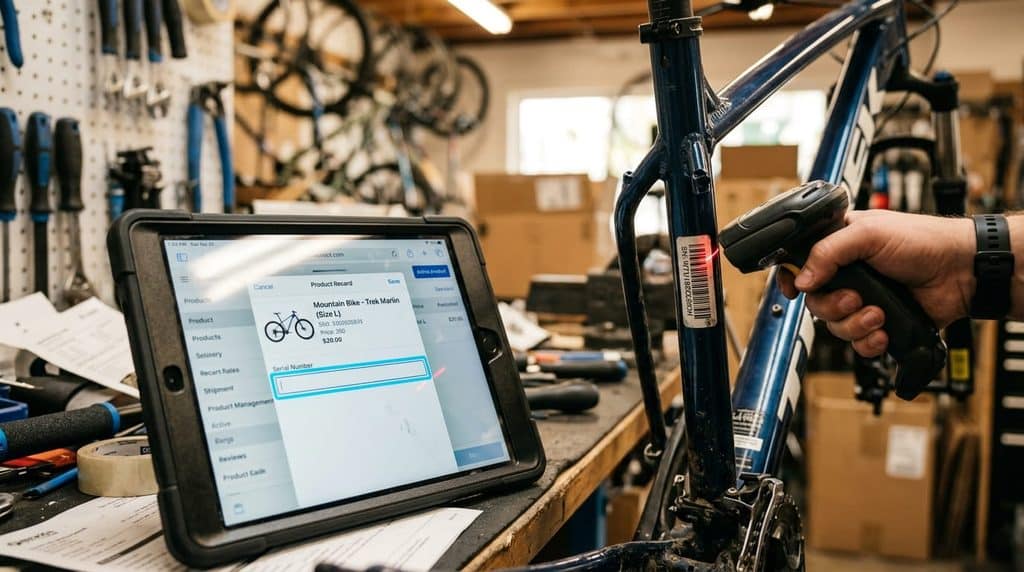
For shops handling bikes, equipment, or anything with a serial number, repair work and serial tracking are the same conversation. Logging serial numbers at the point of sale makes warranty claims, theft prevention, and repair history simple to trace, so when a customer comes back eight months later with the same bike, the shop can pull up exactly what was done and when, instead of relying on memory or a paper ticket that got thrown out. Barcode and serial number tracking lets staff trace each item by its unique serial number rather than a generic SKU, which matters most exactly when a repair or warranty question comes up.
Who Actually Needs This
This setup isn’t for every retailer, it’s for stores where product sales and service work happen under the same roof on a regular basis:
- Bike shops, tune-ups, repairs, and custom builds alongside new bike and accessory sales
- Auto parts stores that also install or service what they sell, scheduling and assigning installation jobs complete with photos and status tracking
- Marine and boat supply stores handling seasonal service work on top of retail parts sales
If your store is purely retail, with no repair, install, or service component, a standard checkout-focused POS is the better fit, and this adds complexity you don’t need.
What About Deposits and Parts/Labor Billing?
Two things come up constantly when shops shop for repair-capable POS systems: collecting a deposit at drop-off, and splitting a final invoice between parts and labor for accounting purposes. Both are reasonable asks, and some repair-focused platforms build them in directly. We’re not going to tell you RealtimePOS handles either one as a confirmed, built-in mechanic, because as of this writing we can’t verify that claim with confidence. If deposit collection or parts/labor invoice splitting is a must-have for your shop, ask directly before you commit to any system, including this one. A vendor that can’t give you a straight yes or no on a specific workflow is a bigger red flag than the feature being absent.
Rolling This Out Without Making It a Project
Start with the basics: get every open job into the work order system instead of a side tracker, even before fine-tuning statuses or reporting. The value shows up the moment staff stop asking where a part is or whether a job’s done and start just checking the screen. From there, layer in serial number logging for anything repair- or warranty-relevant, and let the parts-to-inventory connection run in the background instead of being a manual step at the end of the week.
Frequently Asked Questions
Do I need a separate system for work orders and retail sales?
No, that’s the exact problem this setup avoids. Running work orders and retail checkout in the same system means a part pulled for a repair and a part sold at the counter hit the same inventory count, instead of two numbers you have to reconcile by hand.
What does a work order actually track?
A real status (in progress, waiting on parts, ready for pickup), the specific item it’s tied to, and the parts used against it, connected automatically to inventory rather than logged separately.
Is this only for auto repair shops?
No. Any store combining product sales with service or repair work benefits, bike shops, auto parts stores with installation services, and marine/boat supply stores with seasonal service work are common examples.
Does RealtimePOS support deposits or split parts/labor billing on repairs?
That’s not something we can confirm as a built-in feature as of this writing. If either is a must-have for your shop, ask directly before committing to any POS system.
See How Work Orders Connect to Your Inventory
Stop tracking repairs on a separate whiteboard or spreadsheet. See how Realtime POS keeps parts, status, and sales in one place.
Final Thoughts
The real cost of running repairs on a separate tracker isn’t the extra step, it’s the drift: inventory counts that quietly go wrong, status updates that only live in one person’s head, and jobs that stall because nobody can find the part that’s already been pulled. Putting work orders inside the same system as the POS closes that gap without adding a second tool to manage.
Related Reading: Do You Need a Work Order System?