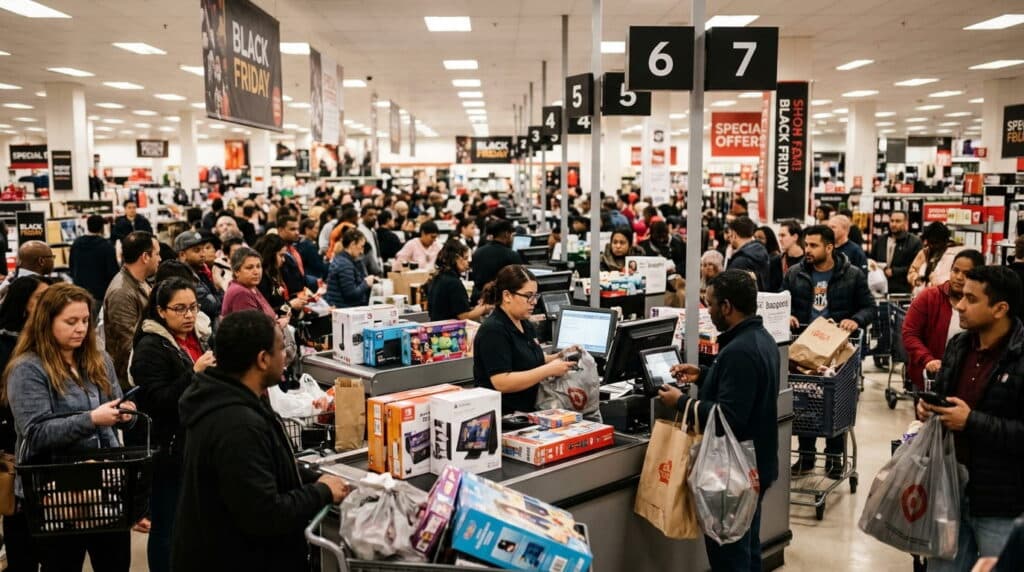
If you ran QuickBooks Desktop Point of Sale before October 2023, you already know the tool you built your checkout process around is gone. What you might not know is whether QuickBooks itself, the accounting software, was ever meant to replace it.
It wasn’t. QuickBooks and a POS system solve two different problems: one keeps your books, the other runs your register. The confusion is understandable since Intuit sold both under the same brand for two decades. This piece breaks down what QuickBooks actually does, what a POS system does that QuickBooks never could, and how the two work together once you stop trying to make one tool do both jobs.
Key Takeaways
- QuickBooks is accounting software. A POS system runs your checkout counter. Different tools, different jobs.
- Intuit discontinued QuickBooks Desktop Point of Sale on October 3, 2023. No new versions, no new sales, and connected services were shut off with it.
- You don’t have to choose one over the other. A modern POS integrates with QuickBooks Online, so your books stay exactly where they are while your checkout process gets upgraded.
Table of Contents
- What QuickBooks Actually Is (and Isn’t)
- What Happened to QuickBooks Point of Sale
- What a Real POS System Does at the Register
- What Actually Breaks When Retailers Use QuickBooks Alone
- How QuickBooks and a POS System Work Together
- What Stays in QuickBooks vs. What Moves to the POS
- Switching Without Losing Your QuickBooks Data
- Frequently Asked Questions
What QuickBooks Actually Is (and Isn’t)
QuickBooks is accounting software. It tracks income, expenses, invoices, and taxes. It was never built to run a cash register, scan a barcode, or deduct inventory the moment a customer pays. QuickBooks Point of Sale, a separate product Intuit sold alongside it, did that job, and Intuit stopped selling it in 2023.
The mix-up is easy to make. For twenty years, Intuit sold the accounting platform and the retail management product as a matched pair, so a lot of retailers never had to think about where one ended and the other began. Now that the POS half is gone, that line matters again.
What Happened to QuickBooks Point of Sale
Intuit discontinued QuickBooks Desktop Point of Sale 19.0 on October 3, 2023. There are no newer versions, and Intuit stopped selling it to new customers before that date. A handful of connected services were shut off the same day: POS payments processing, the gift card service, mobile sync, store exchange, e-commerce integration through Webgility, and live phone and chat support.
If you were still running it past that date, the software itself may keep working on your machine, but you’re on your own. No security patches, no support, no path forward. That’s why so many retailers are searching for what comes next right now, not because QuickBooks accounting changed, but because the POS half of what they were using didn’t survive. For the exact timeline, see our QuickBooks POS discontinuation timeline.
What a Real POS System Does at the Register
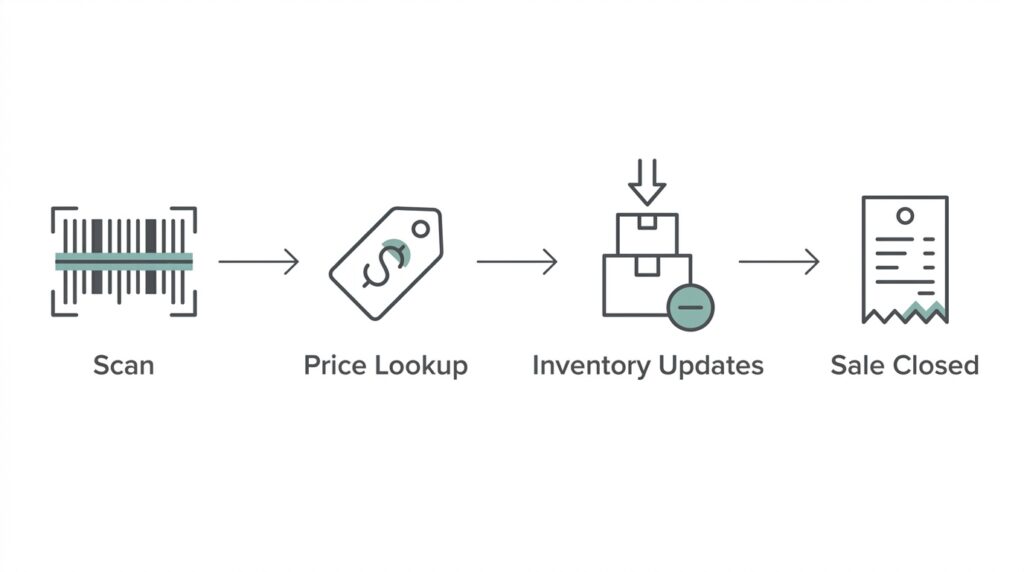
In our installs, the gap shows up fastest at checkout. A POS system scans a barcode, looks up the price, deducts that unit from inventory, and closes the sale, all in the few seconds a customer is standing at the counter. QuickBooks can record that a sale happened. It can’t do the parts that happen before the sale gets recorded: opening a cash drawer, applying a discount code, splitting a payment across two cards, or telling a cashier that the item they just scanned is actually out of stock in the back.
Retailers usually don’t think about the real-time inventory piece until it costs them a sale: a customer asks for an item that shows in stock on the shelf tag but sold out an hour earlier, and now someone has to apologize instead of ring it up. A POS system deducts stock the instant a sale closes, so the count on the shelf and the count in the system stay in sync all day, not just at closing time when someone reconciles the register.
What Actually Breaks When Retailers Use QuickBooks Alone
The most common mistake we see is retailers trying to make QuickBooks alone cover the checkout counter, usually right after their old POS software stops working and before they’ve picked a replacement. It works for a week or two. Then the cracks show.
Without a dedicated POS, someone has to manually enter every sale into QuickBooks after the fact, usually at the end of the day, from a paper log or a separate spreadsheet. Inventory counts drift because nothing is deducting stock in real time; a shelf might show three units in the system when there’s actually one left on the floor.
Staff lose the barcode scanning and cash drawer workflow they’re used to, which slows down every transaction, not just the busy ones. And because QuickBooks isn’t built for the counter, there’s no clean way to ring up a sale, apply a store credit, and print a receipt in one motion, so people end up stitching together workarounds that don’t hold up once foot traffic picks up.
None of this is a flaw in QuickBooks. It’s just not what the software was built for, and stretching it to cover a job it wasn’t designed for is where the trouble starts.
How QuickBooks and a POS System Work Together
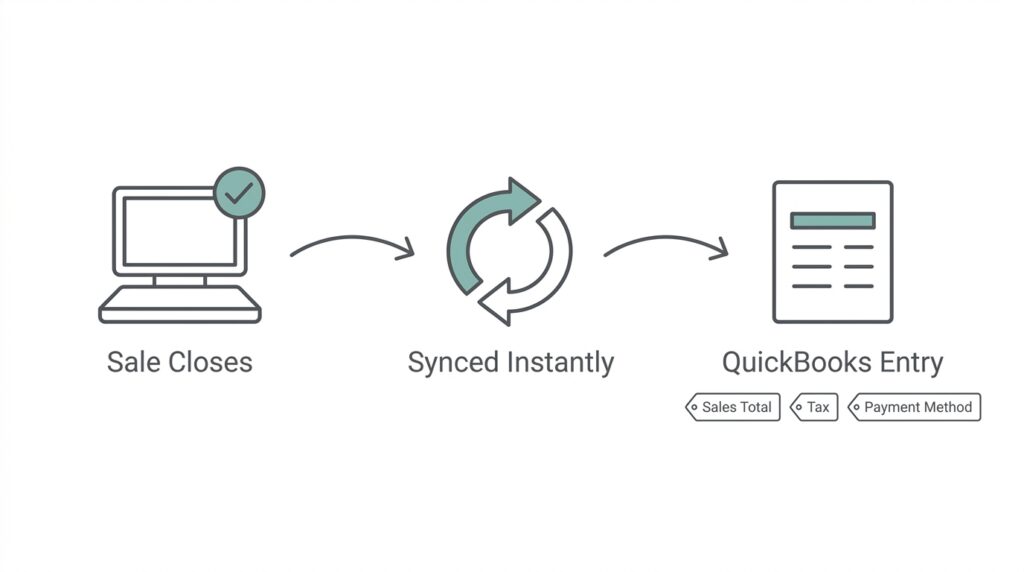
The fix isn’t replacing QuickBooks. It’s connecting a POS system to it. When a sale closes at the register, a connected POS sends that transaction straight into QuickBooks as a recorded entry, sales total, tax collected, and payment method included, with no one retyping anything. Your books update the same day the sale happens, not whenever someone finds time to enter it manually.
See how this works in practice on our POS system that integrates with QuickBooks.
What Stays in QuickBooks vs. What Moves to the POS
Split it this way: your books, tax filings, invoicing, and financial reporting stay exactly where they’ve always been, inside QuickBooks. Everything that happens at the counter, scanning, ringing up items, checking real-time stock, processing payment, moves to the POS. The two systems talk to each other automatically, so you’re not keeping two separate sets of numbers. You’re running one business with two tools built for their specific jobs.
Switching Without Losing Your QuickBooks Data
This is the part that stops most retailers from making the switch: the fear that connecting a new POS means starting their books over. It doesn’t. Your historical QuickBooks data, past invoices, tax records, and customer accounts stay exactly where it is. Adding a POS integration doesn’t touch any of that. It just gives QuickBooks a new, automated source of sales data going forward instead of manual entries.
If you’re specifically looking for a QuickBooks Point of Sale replacement rather than starting from scratch, that’s exactly what this setup is: a QuickBooks POS alternative that keeps your accounting intact while replacing only the checkout hardware and software Intuit discontinued. The only thing that changes is what happens at checkout. For a deeper look at what a full retail POS setup covers beyond QuickBooks integration, see our retail POS system overview.
Frequently Asked Questions
Can I still use QuickBooks POS in 2026?
Do I need a separate POS system if I already use QuickBooks?
Will I lose my QuickBooks accounting data if I switch POS systems?
How does a POS system actually connect to QuickBooks Online?
Keep QuickBooks. Upgrade Your Checkout.
See how Realtime POS connects to QuickBooks so your books stay put while your register finally catches up.
No pressure, no obligation, just a quick walkthrough of how it connects.