

Update: October 19, 2026
A retailer running their books on generic accounting software usually misses one thing: a direct line from the register to the ledger. Sales get entered by hand, inventory costs get estimated instead of tracked, and by the time month-end close happens, nobody’s confident the numbers are actually right.
The global retail industry is projected to lose $1.7 trillion in 2026 to overstocks and out-of-stocks together, a cost researchers call inventory distortion. A lot of that traces back to inaccurate inventory and cost data in the first place, numbers that are wrong before anyone even runs a report. Accounting tied directly to the register and the stockroom, not estimated after the fact, is one of the few things that actually keeps that number from climbing further.
Key Takeaways
- Generic accounting software wasn’t built for retail’s specific problems: high transaction volume, inventory-to-COGS tracking, and multi-location consolidation.
- The real value isn’t the accounting software itself, it’s how tightly it connects to your POS and vendor data.
- Connecting POS data to distributor and vendor systems is a real, searched-for need, not every accounting setup handles it the same way.
Table of Contents
- Why Retailers Need Specialized Accounting Software
- Core Features of Accounting Software for Retailers
- Accounting Software and QuickBooks Integration
- Connecting POS Data to Distributor and Vendor Systems
- Multi-Store Retailers and Accounting Challenges
- Customizable Solutions for Different Retail Needs
- Security and Compliance
- Support and Training
- How Retail Accounting Software Differs From Generic Accounting Software
- Frequently Asked Questions
Why Retailers Need Specialized Accounting Software
A generic accounting program can balance a ledger. What it can’t do is keep up with a retail business: hundreds of transactions a day, inventory costs that need to tie directly to cost of goods sold, cash flow that swings hard around the holidays, and tax rules that change the moment you open a second location in a new state. Retail-specific accounting software is built around those exact problems instead of treating them as edge cases. If you’re currently running QuickBooks alone at the register, our guide on QuickBooks and POS integration covers why that setup usually isn’t enough on its own.
Core Features of Accounting Software for Retailers
The features that actually matter come down to six things: POS integration that syncs transactions automatically, real-time inventory tracking tied to cost data, expense monitoring, financial consolidation across every location, automated tax reporting, and a dashboard you can actually read without a finance degree. Skip any one of these, and you’re back to reconciling something by hand.
Accounting Software and QuickBooks Integration
QuickBooks compatibility means more than a basic export. Realtime POS automates invoice transmission to QuickBooks, charges tracked through accounts receivable, customer record syncing, real-time payment tracking, and daily journal entry posting of store sales summaries directly into the ledger, so the books reflect what actually happened on the floor without someone re-entering it.
In our experience, the retailers who get the most out of QuickBooks integration are the ones who stop manually re-entering vendor invoices within the first month, that’s usually the first habit the automation needs to actually replace, not just supplement.
Connecting POS Data to Distributor and Vendor Systems
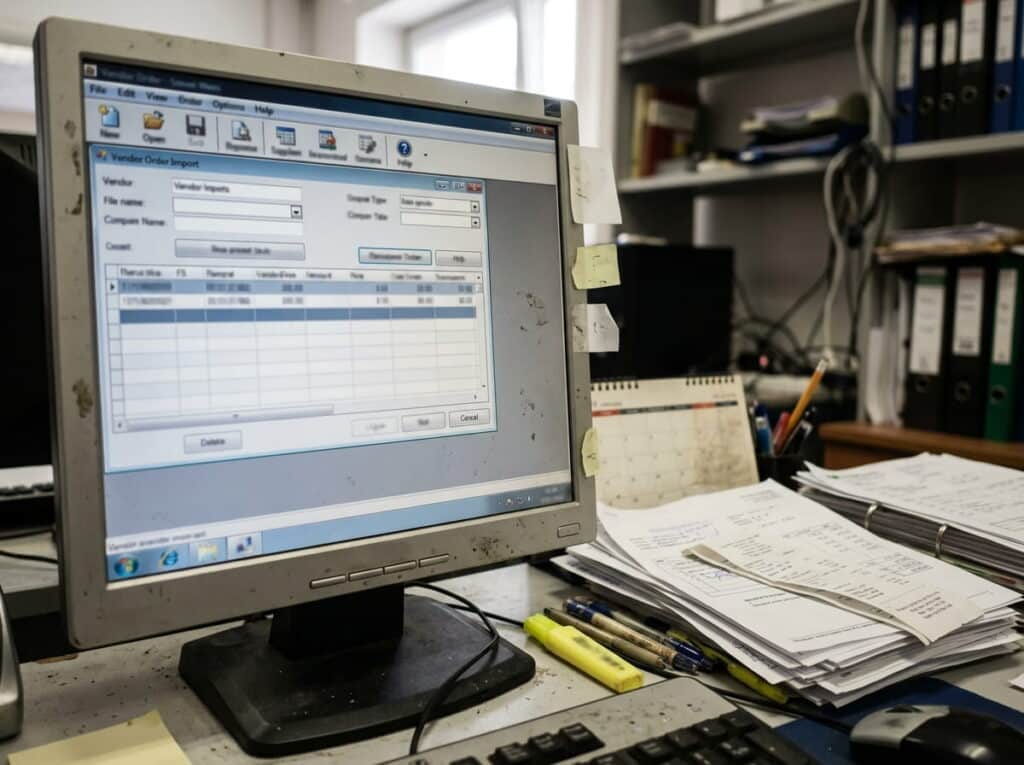
One question comes up constantly when retailers evaluate accounting software: does it actually connect to vendor and distributor data, or does it just handle what happens after a sale? Realtime POS supports file-based import from several external order platforms, JOOR, NuOrder, Faire, and Elastic, pulling vendor order data in as CSV or TXT files instead of requiring manual re-entry.
It’s not a live, automated EDI connection, if your business runs on formal EDI with major trading partners, confirm that specifically before assuming any system handles it. But for independent and multi-store retailers working with these platforms, it closes a real gap between what the vendor sends and what ends up in your books.
Multi-Store Retailers and Accounting Challenges
Running more than one store multiplies the accounting problem, not just the workload. You need one unified report, not five separate ones to reconcile by hand. You need to compare store performance side by side, not estimate it. And when tax season or an audit comes around, a consolidated system is the difference between pulling one report and rebuilding your records from scratch.
Customizable Solutions for Different Retail Needs
A gift shop, a boutique, and a thrift store don’t need the same setup, and a good system shouldn’t force them into one. Reports should be customizable to what actually matters for your format, tax rules should apply correctly to your specific category, and features like loyalty tracking and promotions management should be there when you need them, not bolted on as an afterthought.
Security and Compliance
Your transaction data needs real protection, not just a checkbox. That means encryption on the data itself, role-based access so not every employee can see every number, and compliance features built to guard against fraud and cyberattacks, not added after the fact.
Support and Training
Support that only exists on paper doesn’t help you at 9 pm on a Saturday when the register won’t sync. Look for coverage during normal business hours plus a real path for emergency, high-priority issues, not just a ticket queue. Training matters just as much as support: it should be available remotely, on-site, or off-site depending on what your team actually needs, and it shouldn’t stop after go-live. A system that trains your team once and disappears is setting you up to lose that knowledge the first time someone leaves. Ongoing support and staff training, not a one-time rollout, is what actually keeps the system working the way it’s supposed to.
How Retail Accounting Software Differs From Generic Accounting Software
Generic accounting software like a standalone QuickBooks or Xero subscription handles the ledger fine on its own, it just doesn’t know anything about your inventory, your register, or your stores until someone tells it. Retail-specific accounting software, or a POS system with real accounting integration built in, closes that gap at the source: a sale updates inventory and the ledger at the same time, not as two separate steps someone has to reconcile later.
Conclusion
The real question isn’t whether your retail business needs accounting software built for retail, it’s how much manual reconciliation you’re willing to keep doing until you switch. Every month you wait is another month of entering the same sale twice, once at the register, once in the books.
Frequently Asked Questions
What accounting solutions connect directly to retailer POS and distributor data for better visibility?
How does retail accounting software differ from generic accounting software?
Does retail accounting software support multiple store locations?
See Your Sales Hit the Ledger Automatically
Walk through your actual QuickBooks setup and vendor data sources with us, and see exactly what syncs and what still needs manual entry.
No pressure, no obligation, just a real walkthrough.






