Updated: October 9, 2026
You close out the register, then open a spreadsheet to figure out what actually sold this week, because the POS report doesn’t tell you that. That’s not a you problem. That’s a system that was built for logging transactions, not running a growing business, and it’s one of five signs your current setup has quietly stopped keeping up.
Key Takeaways
- If you’re exporting data to answer a basic sales question, your reporting has a ceiling, and you’ve hit it.
- Integration complexity is the single most common headache retailers with newer systems report, not price, not features.
- A system that takes a week to train a seasonal hire on is costing you more than the subscription fee suggests.
- None of these signs mean you did anything wrong. They mean you grew past what a starter system was built for.
Table of Contents
- Quick Self-Check: Do Any of These Sound Familiar?
- You Can’t Answer a Basic Sales Question Without Exporting to Excel
- Your Tools Don’t Talk to Each Other
- Staff Take Too Long to Learn the System
- You Don’t Actually Know Who Your Customers Are
- Your Payment Options Haven’t Kept Up With Your Customers
- What to Look for in a System Built to Scale
- Frequently Asked Questions
Quick Self-Check: Do Any of These Sound Familiar?
You don’t need to read five sections to get a first read on this. If two or more of these sound like your week, keep reading:
- You’ve exported a report to Excel just to answer “what actually sold.”
- Adding a new payment processor or ecommerce tool meant someone manually re-entering data somewhere.
- A new hire needed more than a day to get comfortable ringing up a sale.
- You couldn’t tell a repeat customer apart from a first-time one at checkout.
- A customer asked for a payment option your system doesn’t support.
If one of those felt specific to your store, you likely already know which section below to read first.
You Can’t Answer a Basic Sales Question Without Exporting to Excel
Here’s the test: can you answer “what sold best this weekend” in under 30 seconds, inside your own system, without exporting anything? If the honest answer is no, your reporting has a ceiling, and you’re already living under it.
Most entry-level POS systems are built to log a transaction, not to help you understand it. The sale gets recorded. Turning that into a trend, a comparison, a decision, that’s a separate job your software was never asked to do. So you do it yourself, in Excel, on a schedule that depends on whether you had time this week.
The wrong way to handle this is treating the export-to-Excel habit as just part of running a store. It isn’t. It’s a workaround for a reporting layer that doesn’t exist where it should.
Your Tools Don’t Talk to Each Other
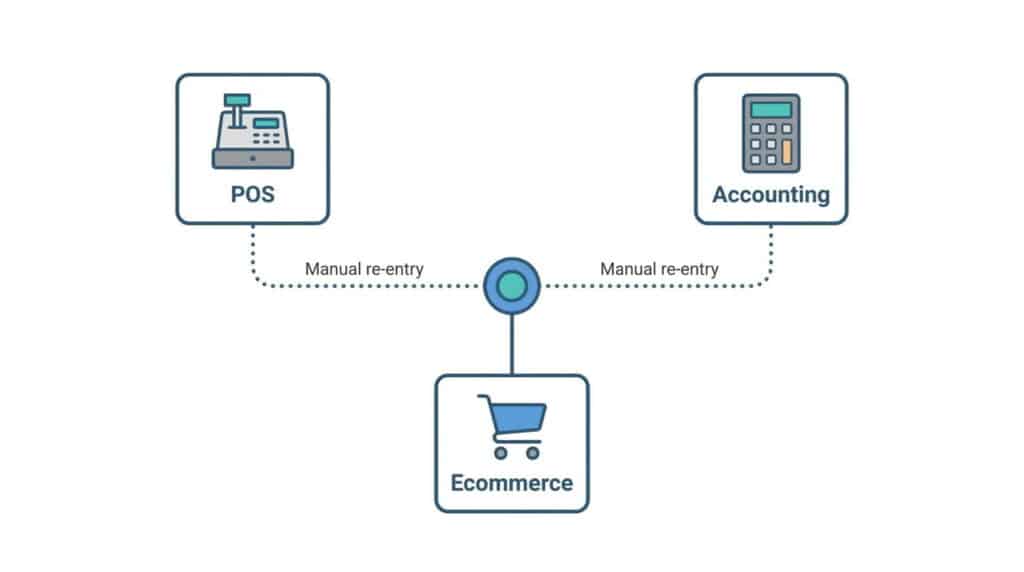
This is the sign that shows up loudest once you actually try to grow, and it’s not a minor annoyance. In a survey of 150 retail executives, integration complexity was the single most widely cited challenge among retailers who’d already modernized their POS systems, named by 45% as a top-three implementation hurdle. Not price. Not missing features. Getting the system to actually talk to accounting, ecommerce, and payments without someone re-entering data by hand in between.
In our work with independent and multi-store retailers over more than 50 years combined, the pattern shows up at a specific, predictable point: the moment you add a second sales channel or a new payment processor. That’s when a legacy POS system that technically “integrates” with everything starts requiring a workaround for all of it.
A system built to scale treats integration as infrastructure, not an add-on you bolt together later.
Staff Take Too Long to Learn the System
If it takes a new hire more than a shift or two to confidently ring up a sale, look at the software before you look at the employee. A clunky checkout flow doesn’t get easier with more training, it just gets more familiar, and your turnover rate is still paying for it every season.
A system with too many steps for a simple transaction costs you twice: once in the hours spent training, and again every time a confused employee slows down a line because they’re not sure which screen handles a return or a split payment. For a small retailer running on seasonal or part-time staff, that cost compounds fast. How long a POS system actually takes to learn is worth checking before you assume the answer is “about a week,” because it shouldn’t be.
You Don’t Actually Know Who Your Customers Are
A basic POS logs a transaction. It doesn’t build a customer. If someone’s bought from you six times and your system still greets them like a stranger, that’s not a CRM gap you’re missing out on someday, it’s lost revenue today, in the form of every targeted promotion you can’t run and every repeat customer you can’t recognize at the register.
The difference is specific: a transaction record tells you what sold. A customer record tells you who bought it, how often, and what they’d probably buy next. One of those lets you run a loyalty program. The other just logs history nobody uses.

Your Payment Options Haven’t Kept Up With Your Customers
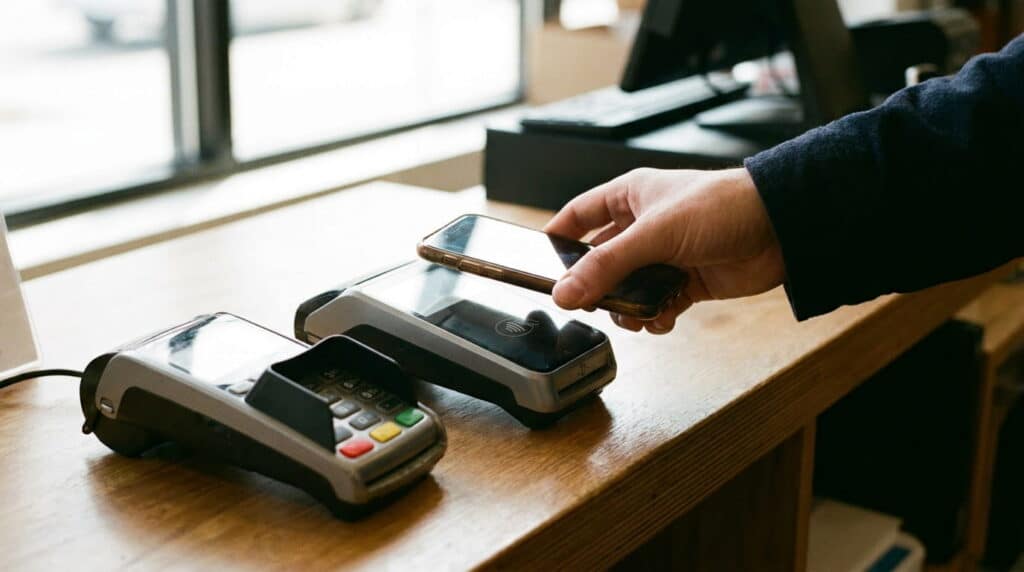
A customer tries to tap their phone to pay and your terminal only takes a card swipe. A regular wants to split a purchase across two cards and the system can’t do it cleanly. These moments feel small individually. They add up to a checkout experience that quietly tells customers your store is behind, even when everything else about it isn’t.
Payment flexibility in 2026 means more than “accepts credit cards,” and treating it as a checkbox feature instead of a daily reality is exactly how a store ends up quietly turning away the next generation of customers. It means contactless, split tender, and multiple processor options, natively, not bolted on as a separate add-on with its own fee.
What to Look for in a System Built to Scale
Before you commit to a new system, or decide to stick with your current one, ask it these questions directly:
- Can you get a real sales answer without exporting anything?
- Does it connect to your accounting and ecommerce tools natively, as a cloud-based system should, not through a manual workaround?
- Could a new seasonal hire run a register confidently after one shift?
- Does it recognize a repeat customer automatically at checkout?
- Does it support the payment types your customers are actually trying to use?
If you’re nodding “no” to more than one of these, you’ve got your answer, and that’s exactly what a retail POS system built to grow with you looks like on the other side. And if the signs above feel specifically apparel-shaped, size runs, color variants, bracketed returns, the version of this problem clothing retailers run into looks a little different and is worth reading instead.
Frequently Asked Questions
How do I know if my POS system is holding my business back?
Check the quick self-check list above. If you’re exporting data to answer basic sales questions, manually re-entering data between tools, or staff take more than a shift to learn the system, those are the clearest signs. One of these alone might just be an annoyance. Two or more is a pattern.
What’s the difference between a basic POS and one built to scale?
A basic POS logs transactions. A system built to scale turns those transactions into reporting, connects natively to your other tools, builds real customer records, and supports the payment types your customers actually use, without a workaround for each one.
How much does switching POS systems actually cost in downtime?
It varies by setup, but a well-planned migration can happen outside business hours with minimal disruption. The bigger cost most retailers underestimate isn’t the switch itself, it’s the ongoing cost of staying on a system that can’t keep up, measured in hours spent on manual workarounds every week.
Is it normal for a small retailer to still use spreadsheets alongside their POS?
It’s common, but that doesn’t mean it’s necessary. If spreadsheets are filling a gap your POS should be covering natively, reporting, reconciliation, inventory counts, that’s a sign the system has a ceiling, not a sign that spreadsheets are just part of running a store.
See What a System Built to Scale Actually Looks Like.
Real reporting, native integrations, and a register your newest hire can run on day one.