A customer drops off a ring for resizing, pays a deposit, and asks when it’ll be ready. Two weeks later nobody remembers the promised date, the deposit is buried in a notebook, and the ring itself has no record tying it to that customer at all. That’s not a hypothetical. It’s the single most common failure point we see in jewelry stores still running on spreadsheets or a generic retail register.
So: can a POS system help you manage your jewelry store? Yes, but only if it’s built to handle what makes jewelry different from almost every other retail category: items that are one of a kind, serialized, and often worth more individually than an entire rack of clothing. That’s really what separates jewelry inventory management software from a generic retail system in the first place.
Key Takeaways
- A POS system can help manage a jewelry store, but only if it tracks items as serialized, one-of-a-kind pieces, not generic SKUs.
- Independent jewelers sold 5.6% fewer units in 2025 while average sale price rose 10.9%, according to Edge Retail Academy data. Fewer pieces moving means each one carries more financial weight if it gets lost in the system.
- The real test isn’t inventory or sales reporting. Nearly every POS handles that. It’s whether custom orders, repairs, and deposits get tracked with the same rigor as a sale.
Table of Contents
- The Short Answer: Yes, If It’s Built for Jewelry
- What Makes Jewelry Inventory Different From Other Retail
- Where Generic POS Systems Fall Short
- Custom Orders, Repairs, and Deposits: The Part Most Systems Miss
- Why Real-Time Tracking Matters More as Prices Rise
- What to Look for When Choosing a Jewelry Store POS System
- Switching Without Losing Your Existing Records
- Frequently Asked Questions
The Short Answer: Yes, If It’s Built for Jewelry
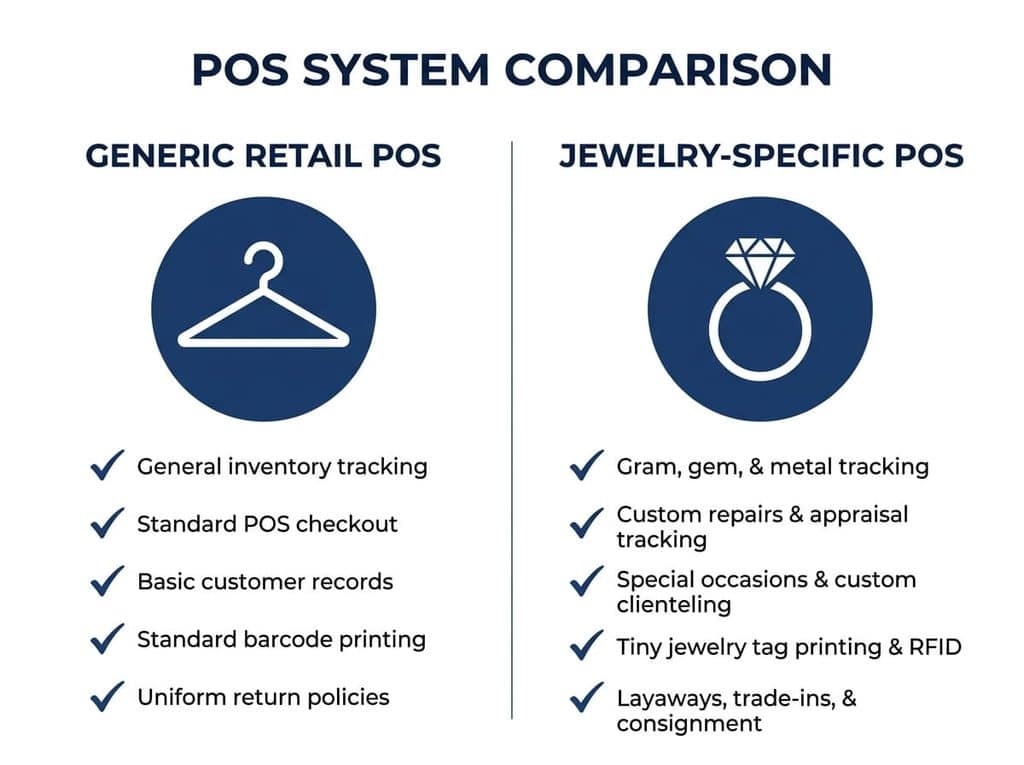
A POS system helps a jewelry store, but not for the reasons most sales pages lead with. Faster checkout and stock counts are table stakes. The part that actually matters, and the part most systems get wrong, is what happens to a one-of-a-kind item once it stops being “in stock” and becomes a custom order. A clothing store tracks 40 units of the same shirt in five sizes. A jewelry store tracks one ring, one serial number, one appraisal record. Most POS systems were built for the first case and bolted jewelry features onto it later. That gap shows up fast once you’re running the store day to day.
Comparison table:
| Generic Retail POS | Jewelry-Specific Needs |
|---|---|
| SKU-based stock counts | Serialized item tracking, one record per piece |
| Standard returns/exchanges | Custom-order and deposit tracking |
| Flat sales reporting | Appraisal and certification records tied to each item |
| Single-location stock view | Real-time multi-location visibility for high-value transfers |
What Makes Jewelry Inventory Different From Other Retail
Walk into a boutique and a missing shirt is a rounding error. Walk into a jewelry store and a missing ring is a police report. That difference drives everything about how inventory needs to work here.
Serialized, One-of-a-Kind Items
A $4,000 solitaire isn’t “one of 12 in stock.” It’s the only one of its kind on the floor, which means it needs its own record, not a shared count. That record has to carry the item through its whole life: intake, appraisal value, insurance documentation, and eventually the sale. Lose that thread, and you’ve lost the paperwork a customer needs for their own insurance, not just a line in a spreadsheet.
Loose Stones and Custom Components
Loose stones and findings don’t sit still in inventory the way a finished necklace does. A stone gets pulled, set into a custom mounting, and becomes part of a different sellable item entirely. A generic POS has no concept of a component disappearing into a new product. A jewelry-specific system tracks that transformation, so the stone’s value and sourcing information carry forward into the piece it becomes instead of vanishing from the count.
Where Generic POS Systems Fall Short
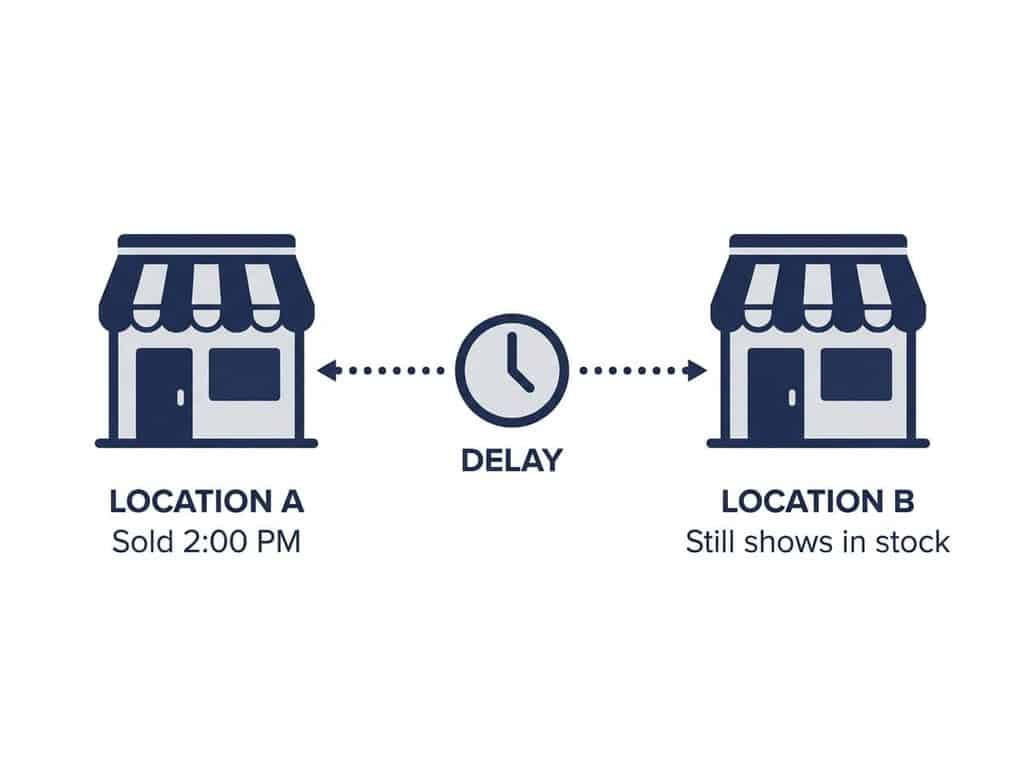
The failure isn’t usually dramatic. It’s a sync delay. A piece sells at your downtown location at 2:00 PM, but your satellite store’s system doesn’t pick up the change until its next scheduled sync, sometimes 15 minutes later, sometimes longer. For a $30 candle, nobody notices. For a one-of-a-kind $6,000 bracelet, a customer at the second location can be shown a piece that’s already sold, and now you’re managing a disappointed customer instead of a routine sale.
Custom Orders, Repairs, and Deposits: The Part Most POS Systems Miss
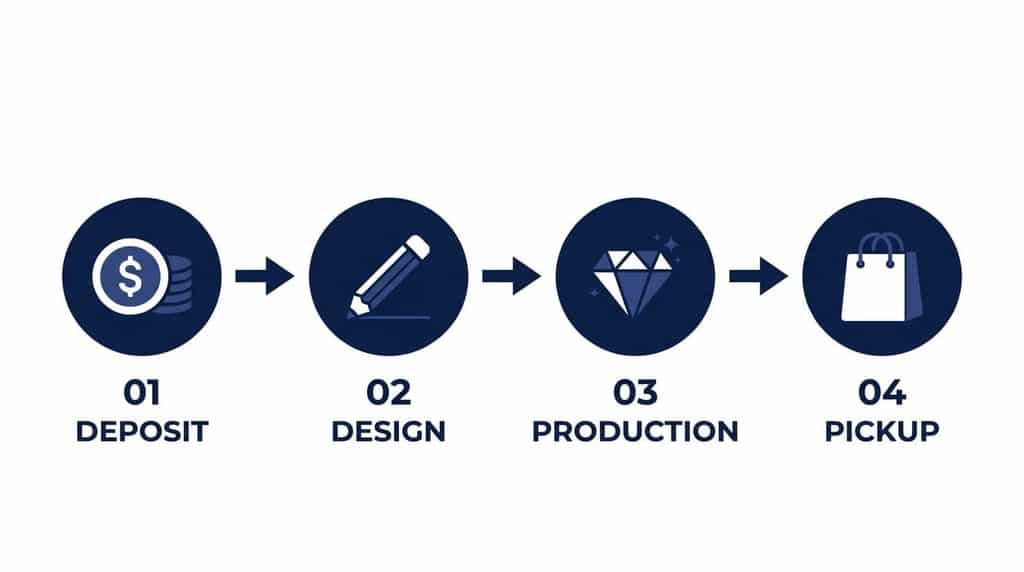
This is where we see the most breakdowns in actual stores. A customer brings in a ring for resizing, or commissions a custom design. That interaction has multiple steps: a deposit at drop-off, a design or quote stage, a progress payment, materials pulled from inventory, and finally pickup. Most POS systems treat this like a regular sale with one payment and one line item, so everything between drop-off and pickup lives in someone’s memory or on a paper ticket.
In our installs, the most common mistake we see is staff tracking custom orders on sticky notes stuck to the register, because the system they’re using has no workflow for anything that isn’t a complete transaction on day one. When that staff member is out sick or leaves the job, the order’s status goes with them. A jewelry-specific POS handles this as its own object: deposit recorded, status updated as the piece moves through design and production, and a clear balance due at pickup, visible to any staff member, not just the one who took the order.
Why Real-Time Tracking Matters More as Prices Rise
Here’s the part most advice on this topic skips: the stakes are rising. According to Edge Retail Academy data reported by National Jeweler, independent jewelers saw gross sales rise 4.7% in 2025 even as units sold fell 5.6%, because the average retail sale climbed 10.9%. Translation: jewelers are selling fewer pieces, but each one is worth more. That means a lost or mistracked item now represents a bigger chunk of the store’s revenue than it did a year or two ago.
This is also where the technical difference between POS systems actually matters, not as a spec sheet item, but as a real operational risk. Realtime POS runs on an architecture where stores stream data directly to a shared cloud database instead of polling on a schedule or relying on batch file transfers. For a store selling identical T-shirts, that distinction is invisible. For a store where one piece going briefly “out of sync” means a customer gets shown an item that’s already sold, or a repair ticket sits unresolved because one location’s system hasn’t caught up with another’s, it’s the difference between a smooth sale and a customer service problem.
What to Look for When Choosing a Jewelry Store POS System
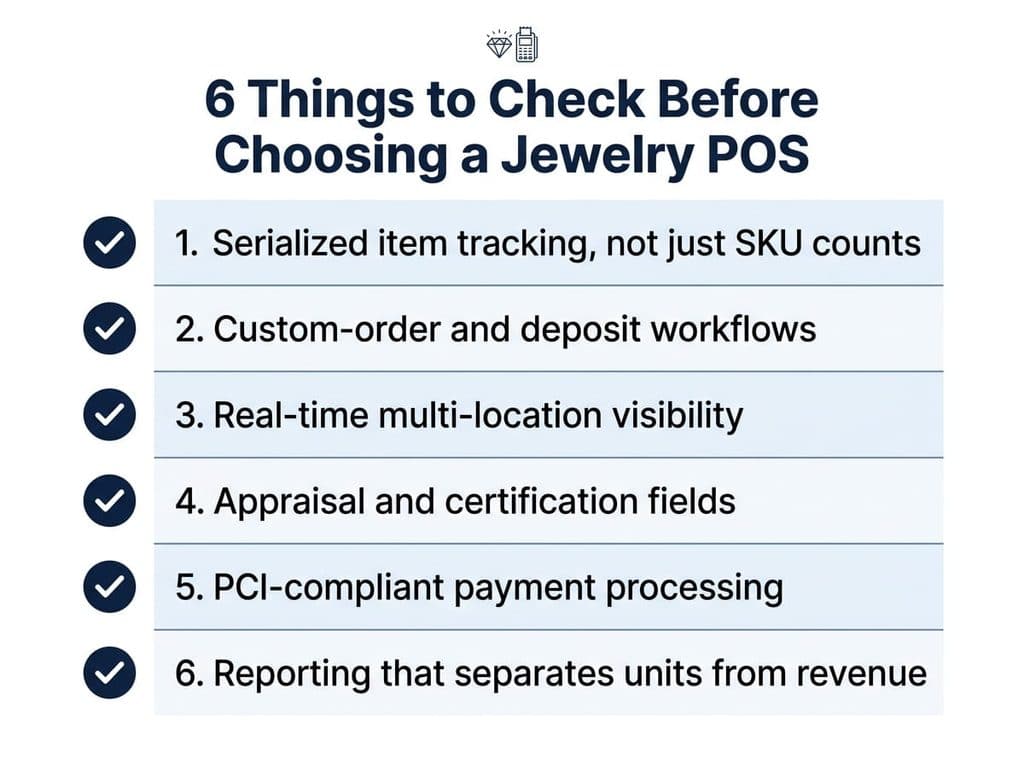
If you’re evaluating options for a POS for independent jewelers, check for these six things before anything else:
- Serialized item tracking, not just SKU counts, so every piece has its own record from intake to sale.
- Custom-order and deposit workflows that track a repair or commission through every stage, not just as a single transaction.
- Real-time multi-location visibility, especially if you run more than one store or sell high-value pieces that move between locations.
- Appraisal and certification fields built into the item record, not a separate filing system.
- PCI-compliant payment processing that handles large-ticket transactions as smoothly as small ones.
- Reporting that separates units sold from revenue, so you can see pricing trends the way the ERA data above makes clear you should.
See how this works in a real jewelry POS setup on our jewelry store POS page, which covers serial number tracking, custom orders, and multi-location inventory in more detail.
Switching Without Losing Your Existing Records
The fear we hear most often isn’t about features, it’s about the move itself. Years of inventory records, customer history, and appraisal documentation feel too risky to touch. In practice, three things actually need to carry over: your current inventory with serial numbers and values intact, customer purchase and contact history, and any open custom orders or repairs mid-process. Everything else, like historical sales reports, can usually stay archived in your old system rather than migrated.
The bigger risk isn’t the migration itself, it’s running two systems in parallel longer than necessary while staff get confused about which one is current. Set a clean cutover date, migrate the three things above, and treat the old system as read-only reference from that point on.
Frequently Asked Questions
Do I need a POS system made specifically for jewelry stores?
If you carry one-of-a-kind, serialized, or custom pieces, yes. A generic retail POS tracks stock by SKU and quantity, which doesn’t fit a business where most items are singular and need individual appraisal and ownership records.
How does a POS track loose stones and custom pieces?
A jewelry-specific POS tracks a loose stone as its own record, then carries that record forward when the stone is set into a finished piece, so the sourcing and value information isn’t lost in the transformation.
Can a POS system handle repair deposits and custom orders?
Yes, if it’s built for it. The system should track a deposit at drop-off, status updates through design and production, and a remaining balance at pickup, all tied to one order record any staff member can see.
What should an independent jeweler look for in a POS system?
Serialized item tracking, custom-order and deposit workflows, real-time inventory across locations if you have more than one store, built-in appraisal fields, and reporting that separates units sold from revenue.
See a Jewelry-Specific POS in Action
Serialized tracking, custom orders, and real-time inventory across every location, built for stores where every piece counts.
Explore Jewelry POS Features Schedule a Demo