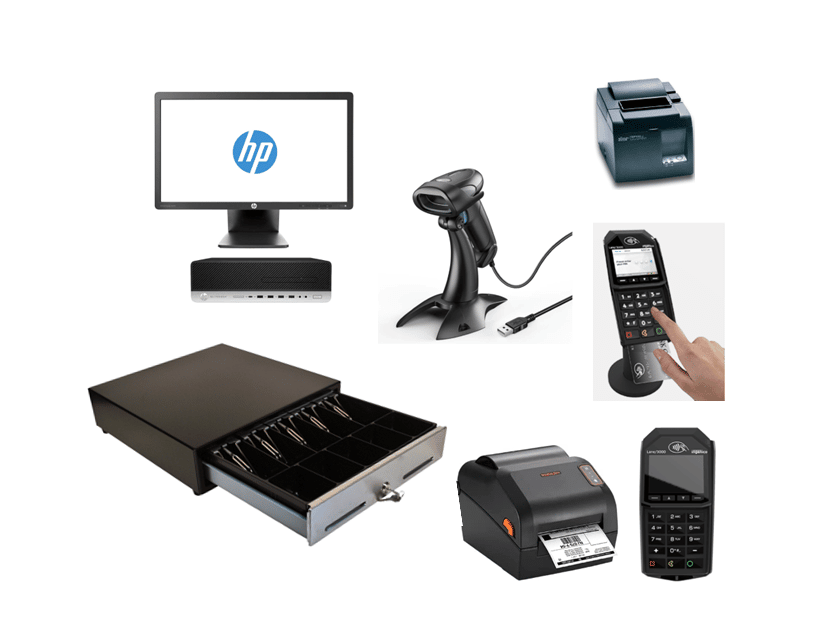
Managing multiple sales channels is no longer optional in retail—it’s essential. Customers expect a seamless shopping experience whether they buy from your physical store, e-commerce website, or online marketplaces. However, synchronizing products, inventory, and orders across all these platforms can be challenging. This is where RealtimePOS Multi-Cart Synchronization integration provides a powerful, unified solution.
What Is Multi-Cart Synchronization?
Multi-cart synchronization enables retailers to connect and manage multiple e-commerce platforms, marketplaces, and point-of-sale systems from one central hub. Instead of updating inventory or processing orders manually on each platform, synchronization ensures that every channel is automatically aligned in real time.
RealtimePOS takes this concept further. Retailers gain access to a single, unified system that connects with over 40+ leading shopping carts and marketplaces, including Shopify, WooCommerce, Magento, BigCommerce, Amazon, and eBay.
Why RealtimePOS Integration Matters
RealtimePOS is a unified API that allows businesses to connect with dozens of e-commerce platforms through one interface. Without it, retailers would need to create separate integrations for each platform—a time-consuming and costly process.
By combining RealtimePOS Multi-Cart Synchronization businesses can:
- Integrate with multiple carts and marketplaces faster.
- Ensure accurate and real-time data flow across all channels.
- Eliminate the need for custom coding for each platform.
- Scale operations easily as new channels are added.
This integration empowers retailers to stay competitive in an increasingly omnichannel-driven market.
Benefits of RealtimePOS Multi-Cart Synchronization
1. Centralized Inventory Management
No matter how many platforms you sell on, your stock updates instantly. A sale made on Amazon automatically reflects on Shopify, WooCommerce, and your physical store’s POS.
2. Unified Order Processing
Orders from all platforms are captured in RealtimePOS. Your team doesn’t need to log in to multiple dashboards—everything is streamlined in one place.
3. Accurate, Real-Time Data
Pricing updates, product edits, and stock changes are synced instantly across every channel, reducing errors and customer dissatisfaction.
4. Faster Time-to-Market
Thanks to RealtimePOS’ wide range of supported platforms, you can launch new sales channels quickly without lengthy custom integration projects.
5. Scalability for Growth
As your business expands into new marketplaces or opens additional stores, the integration adapts seamlessly, allowing you to scale without adding complexity.
How the Integration Works
The process is straightforward:
- Connect Platforms – RealtimePOS leverages to integrate with supported e-commerce platforms and marketplaces.
- Product and Inventory Mapping – Products, SKUs, and stock levels are standardized across all systems.
- Real-Time Synchronization – Changes in pricing, stock, or product information update instantly across every connected platform.
- Centralized Order Management – Orders flow into RealtimePOS for faster processing and fulfillment.
- Comprehensive Reporting – Retailers gain visibility into multi-channel sales performance, customer behavior, and trends.
Supported Platforms and Channels
With the RealtimePOS integration, retailers can connect to major platforms, including:
- Shopify
- WooCommerce
- BigCommerce
- Magento
- PrestaShop
- OpenCart
- Wix
- Squarespace
- Amazon
- eBay
- Walmart Marketplace
- and many more popular shopping carts … PS
This ensures maximum flexibility for businesses of all sizes.
Use Cases for Retailers
Clothing and Fashion Stores
Synchronize stock between online boutiques (Shopify, WooCommerce) and marketplaces like Amazon without overselling.
Bookstores
Manage catalogs across eBay, physical stores, and online shops while keeping inventory accurate.
Footwear and Specialty Shops
Update pricing, product details, and promotions in real time across multiple platforms.
Multi-Location Retailers
Gain full visibility and control across multiple physical stores and e-commerce outlets.
Useful for any other Retail Operations. PS
Enhancing Customer Experience
When retailers manage multiple platforms manually, errors and delays often occur. With RealtimePOS, customers enjoy:
- Accurate stock availability across every channel.
- Consistent pricing that builds trust.
- Faster order fulfillment through centralized processing.
- Fewer cancellations due to overselling.
The result is a smoother shopping experience that boosts satisfaction and loyalty.
Best Practices for Implementation
To maximize the benefits of this integration:
- Standardize Product Data – Ensure SKUs, titles, and descriptions are consistent across platforms.
- Train Staff – Provide adequate training on using RealtimePOS for order and inventory management.
- Use Reporting Tools – Leverage insights to improve stock planning, marketing, and pricing.
- Start Small – Connect a few platforms first, then expand once workflows are stable.
- Monitor Performance – Regularly review reports to optimize efficiency and identify opportunities.
Why Choose RealtimePOS with E-commerce Integration?
While there are other synchronization tools, RealtimePOS offers several advantages:
- Retail-focused functionality built specifically for POS and inventory management.
- Wide platform compatibility through RealtimePOS’ unified API.
- Real-time updates to keep your business running smoothly.
- Dedicated support to ensure a smooth setup and ongoing operations.
By combining robust retail POS features with flexible e-commerce integration, retailers gain an all-in-one solution for efficient multi-channel management.
Conclusion
The modern retail landscape demands efficiency, accuracy, and scalability. RealtimePOS Multi-Cart Synchronization integration provides exactly that. By connecting multiple sales channels through a single system, retailers can reduce errors, speed up fulfillment, and deliver a seamless customer experience.
Whether you’re selling through Shopify, Amazon, or multiple marketplaces, this integration ensures your business operates at peak efficiency—giving you the tools to grow without limits.