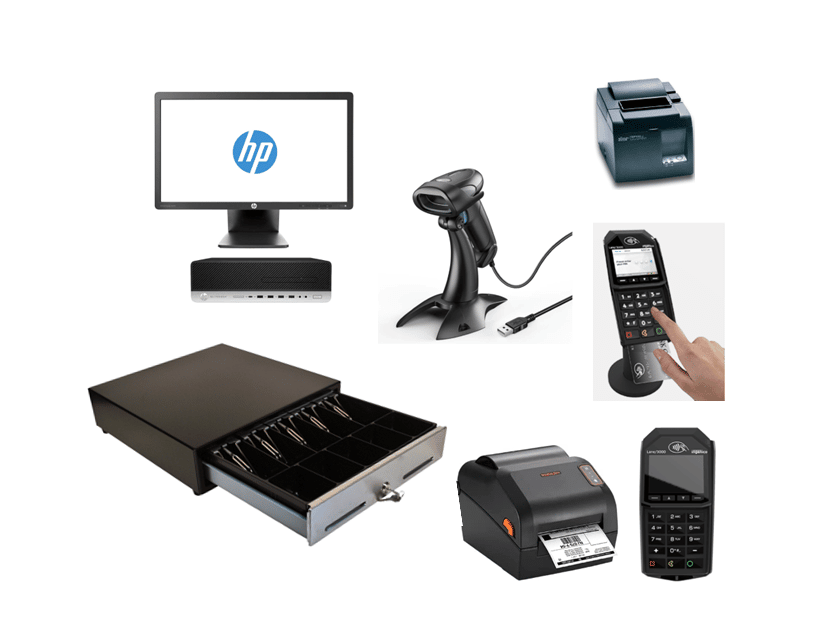
A boutique that started selling on Shopify usually reaches the same point eventually: the online store is working, foot traffic is picking up too, and now two separate systems are tracking the same inventory. The question isn’t whether to connect a POS to Shopify anymore, it’s whether to use Shopify’s own built-in POS or bring in a dedicated retail POS system instead. That choice looks different depending on how the boutique actually operates, not just which platform has more features on paper.
Key Takeaways
- The real choice for a Shopify-selling boutique isn’t “which POS is best”, it’s whether Shopify’s native POS or a dedicated third-party retail POS fits how the boutique actually runs day to day.
- Native POS keeps everything inside one Shopify account. Third-party POS adds retail-specific tools (multi-location inventory, in-depth reporting, specialized checkout workflows) that connect back to the same Shopify store.
- Real-time, two-way sync matters more than the platform name: a sale in-store should update Shopify inventory immediately, and a Shopify order should reflect in-store stock the same way.
- Boutiques with a single small location have different priorities than ones running multiple storefronts or a warehouse alongside a retail floor.
- Ask exactly how sync timing, returns, and multi-location inventory are handled before connecting any POS to a live Shopify store, not after.
Table of Contents
- Native vs. Third-Party POS: What’s Actually Different
- How Sync Actually Works Between Your Storefront and Your Register
- What to Check Before You Connect a POS to a Live Shopify Store
- A Day in the Life: Selling In-Store and Online Without Double-Counting Inventory
- Make the Choice Based on How You Actually Run, Not Just Feature Lists
- Frequently Asked Questions
Native vs. Third-Party POS: What’s Actually Different
Shopify’s own POS keeps everything inside a single account: one login, one dashboard, one place inventory and orders live. For a boutique with one small location and a straightforward product line, that simplicity can be exactly enough.
A dedicated retail POS system connects to Shopify instead of replacing it, syncing inventory and orders between the two rather than keeping everything in one dashboard. What that buys a boutique is retail-specific functionality Shopify’s native POS wasn’t necessarily built around first: multi-location inventory visibility, deeper reporting on what’s actually selling by style or location, and checkout workflows built around a physical retail floor rather than an online cart.

How Sync Actually Works Between Your Storefront and Your Register
The part that actually matters day to day isn’t which logo is on the software, it’s what happens the moment something sells. A Shopify POS integration built for real-time, two-way sync means a shirt sold at the register updates the Shopify storefront’s stock count immediately, and an online order does the same thing in reverse. Orders placed on Shopify can be managed centrally alongside in-store sales, and inventory stays as one shared count instead of two separate ones that need to be reconciled by hand.
That matters most exactly when it would otherwise go wrong: a popular item selling out online while the register still shows it in stock, or a customer buying the last one in-store while someone else is checking out the same item on the website at the same moment.
What to Check Before You Connect a POS to a Live Shopify Store
Before connecting any POS to a Shopify store that’s already taking orders, it’s worth confirming a few specifics directly rather than assuming:
- How quickly inventory actually updates across both systems, in practice, not just in marketing copy.
- Whether returns processed in-store correctly adjust the Shopify order and inventory record, not just the in-store count.
- How multiple locations are handled if the boutique has, or plans to have, more than one storefront.
- What happens to an order if the connection between the two systems is briefly interrupted.
None of these are meant to suggest a problem exists, they’re just worth confirming with whoever sets up the integration before a busy weekend is the first time it gets tested.
A Day in the Life: Selling In-Store and Online Without Double-Counting Inventory
A customer buys the last small in a popular style in-store on Saturday morning. By the time someone browsing the Shopify site that afternoon looks for the same item, it’s already showing as out of stock, not because someone remembered to update it, but because the sale updated both systems the moment it happened. Monday morning, a new shipment comes in and gets logged once, and it’s available to sell through either channel from that point on. Nobody is counting the same sweater twice in two different places.
Make the Choice Based on How You Actually Run, Not Just Feature Lists
A single small boutique with one register and a manageable product line might genuinely be fine on Shopify’s native POS alone. A boutique running more than one location, carrying a lot of style and size variation, or needing deeper reporting on what’s actually moving tends to outgrow that setup and benefit from a dedicated retail POS connected to Shopify instead. The right answer depends less on which platform has more total features, and more on which one matches how the boutique actually operates today.
Whichever direction fits, the goal is the same: one accurate inventory count, whether a sale happens at the register or on the website, so nothing gets sold twice or missed entirely.
See How Realtime POS Connects with Shopify
Book a free, no-pressure walkthrough and see exactly how inventory syncs between your boutique’s register and your Shopify storefront, in real time.
Over 50 years of combined retail systems experience · Serving single & multi-store retailers nationwide
Frequently Asked Questions
Do I have to give up Shopify’s native POS to use a third-party retail POS?
No. A dedicated retail POS connects to your existing Shopify store and syncs with it, it doesn’t replace your Shopify account or storefront.
How fast does inventory actually sync between the register and Shopify?
This is worth confirming directly with whoever sets up your specific integration, since sync timing can vary. Ask for real-time or near-real-time sync rather than assuming it by default.
Is a dedicated POS worth it for a single small boutique location?
It depends on how the boutique runs. A single location with straightforward inventory may do fine on native Shopify POS alone. Multiple locations or heavy style/size variation is where a dedicated retail POS tends to add the most value.
What happens to an online order if my POS loses connection to Shopify?
This depends on the specific setup, confirm directly with your provider how orders and inventory are handled during a temporary connection interruption before relying on it.