
Technology has changed the way we shop, pay, and interact with businesses. Among the innovations driving retail today is NFC — the technology behind fast, secure, contactless payments. This guide covers how NFC POS works, the benefits for retail businesses, and how it fits into your existing point-of-sale setup.
Key Takeaways
- NFC (Near Field Communication) lets customers tap a card or phone to pay instead of inserting or swiping — checkout is faster and touch-free.
- Adding NFC usually doesn’t mean replacing your whole system — many existing terminals already support it, or can be upgraded with an NFC-capable reader.
- NFC payments use the same encryption and tokenization as chip cards, so there’s no security tradeoff for the added speed.
- Beyond payments, NFC supports loyalty check-ins, inventory tracking, and quick product lookups at the register.
- Realtime POS supports NFC-enabled hardware alongside standard card and mobile terminals, so retailers can add tap-to-pay without switching software.
Table of Contents
What Is NFC POS?
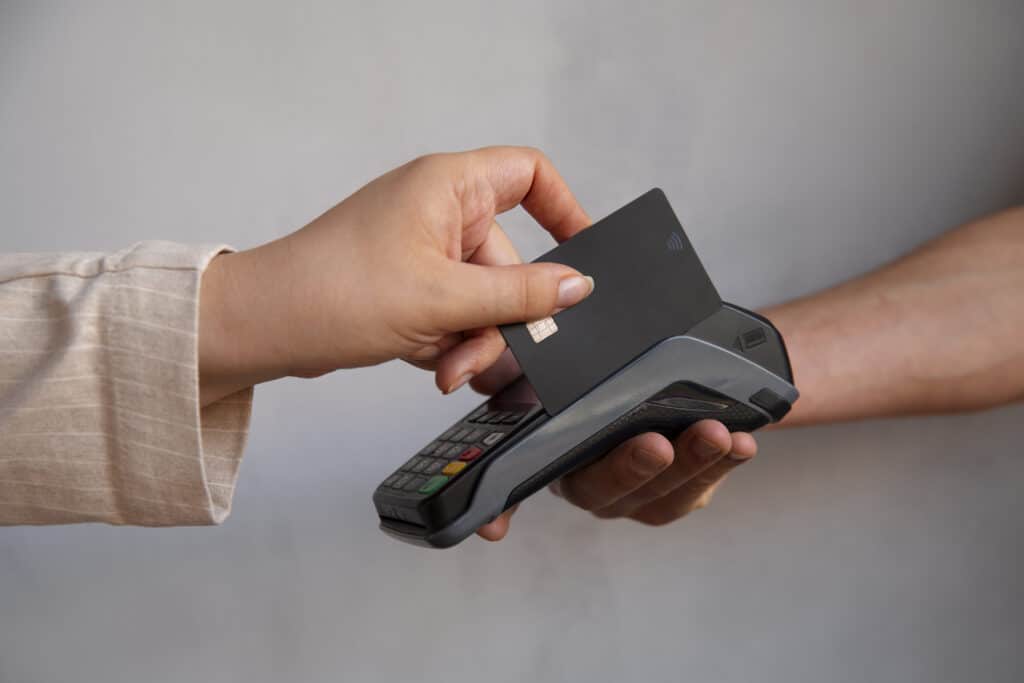
NFC POS refers to a point-of-sale setup that accepts Near Field Communication payments — the technology behind tap-to-pay cards, Apple Pay, Google Pay, and other contactless wallets. Instead of inserting a chip card or swiping a magnetic stripe, customers hold their card or phone within an inch or two of the terminal, and the transaction completes in about a second.
For retailers, “NFC POS” doesn’t mean a separate system — it means your existing POS terminal (or one you add) is equipped with an NFC reader. Most modern POS hardware supports NFC out of the box, so accepting tap-to-pay is more often a hardware question than a full system change.
How NFC POS Works at Checkout
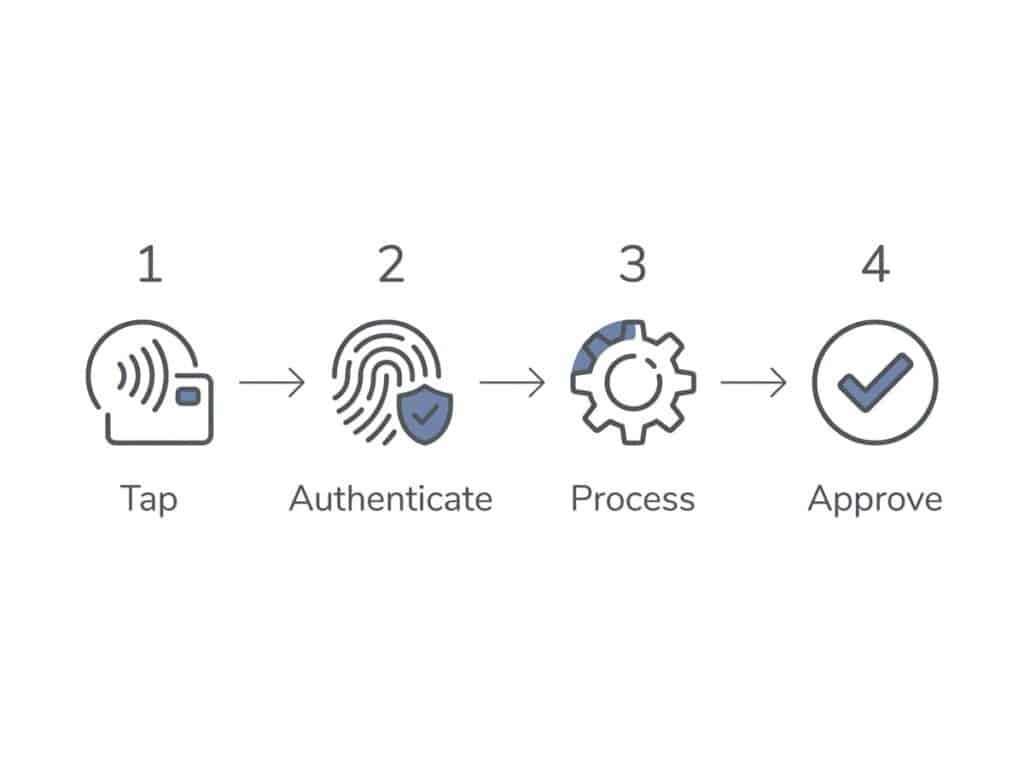
When a customer taps their card or phone, the NFC chip communicates with the reader over a short-range radio signal — no physical contact or PIN needed for most transactions under the contactless limit set by the card networks. The terminal encrypts the transaction the same way it would for a chip-and-PIN payment, sends it to the processor for authorization, and completes the sale in one to two seconds.
The main difference staff and customers notice is speed — no card insertion, no chip-read wait, no signature in most cases. Over a full day of transactions, that adds up.
Benefits of NFC POS for Retailers
1. Faster checkout
Tap-to-pay completes in a fraction of the time of chip insertion, which matters most during peak hours or lines.
2. Lower friction for customers
Shoppers increasingly expect to pay with a phone or watch; not supporting NFC can feel outdated at checkout.
3. Less wear on cards and readers
No swiping or inserting means less physical wear over time.
4. Built-in security
NFC transactions are encrypted and tokenized the same way chip transactions are.
NFC POS Beyond Payments
NFC isn’t limited to payment acceptance. Retailers also use NFC for:
Loyalty check-ins
Customers tap a card or phone to identify their account instead of entering a phone number or scanning a barcode.
Inventory management
NFC tags help track product movement, similar to how barcodes or RFID tags are used at the shelf level.
Quick product lookups
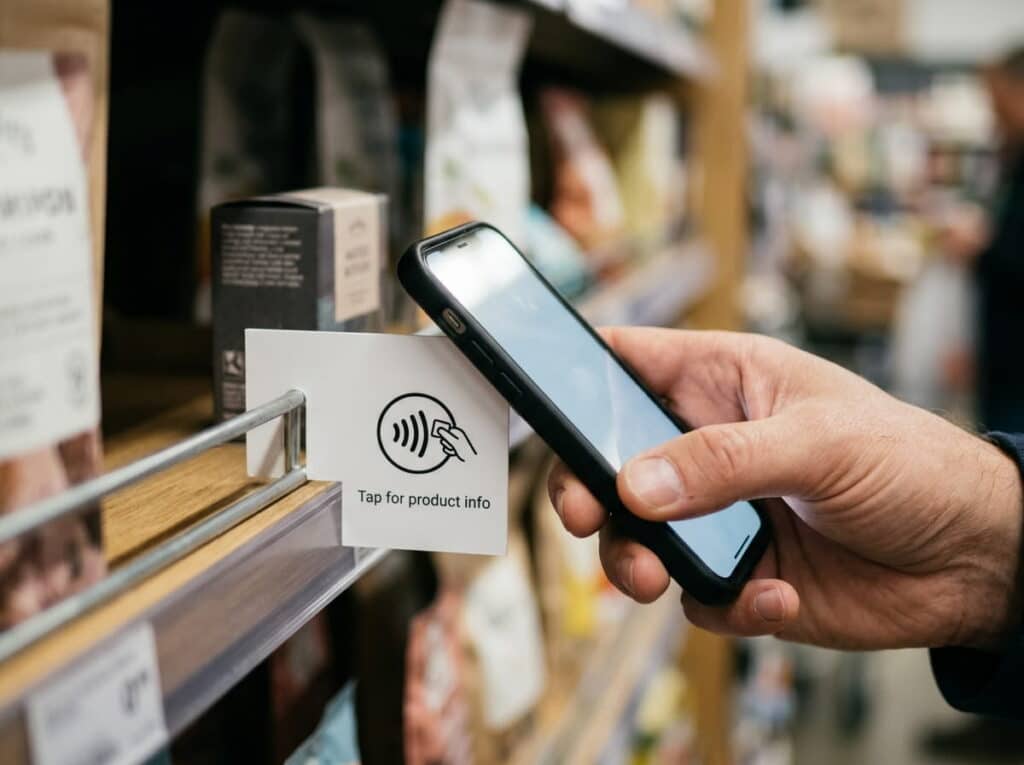
NFC tags on shelf displays or end caps can link to product details when tapped with a phone.
None of these require a separate system — they typically run on the same NFC hardware already handling payments.
NFC POS vs. Traditional Card Terminals
| Feature | NFC Payments | Chip/Swipe Payments | Cash Transactions |
| Speed | Fast (seconds) | Moderate (chip insert) | Slow (manual handling) |
| Security | High (encrypted) | Medium (chip secure, swipe vulnerable) | Low (risk of theft) |
| Customer Convenience | Very High | Moderate | Low |
| Contactless Option | Yes | No | No |
Traditional terminals require inserting a chip card or swiping a magnetic stripe, both slower and harder on the card. NFC terminals read the transaction wirelessly but still support chip and swipe as fallback — an NFC-capable terminal adds tap-to-pay on top of existing methods; it doesn’t replace them.
For most retailers, the practical question isn’t “NFC vs. traditional” — it’s whether your current terminal already has an NFC reader built in. Many terminals purchased in the last several years do; older hardware may need an add-on reader or an upgrade.
Realtime POS and NFC Integration
Realtime POS supports NFC-enabled hardware alongside standard card and mobile terminals, so retailers can add tap-to-pay without switching POS software or retraining staff on a new checkout flow. Integrating NFC with your POS software and QuickBooks accounting keeps everything — payments, inventory, and books — in one streamlined system.
If you’re deciding whether to add NFC to your current setup, our team can walk through which of your existing terminals already support it and what an upgrade path looks like for the rest.

Common Questions
Can I add NFC to my existing POS terminal, or do I need new hardware?
It depends on your current terminal. Many POS terminals sold in the past several years already include an NFC reader; older hardware may need an add-on reader or a terminal swap.
Is NFC the same as contactless payment?
Yes — contactless payment is the umbrella term, and NFC is the technology that makes it work. Apple Pay, Google Pay, and tap-to-pay cards all rely on NFC.
Is NFC payment secure for retail stores?
Yes. NFC transactions are encrypted and tokenized using the same standards as chip card payments, so there’s no security tradeoff for the added speed.
Does accepting NFC payments cost more than standard card processing?
Typically not. NFC transactions are usually processed under the same rates as chip and swipe — any cost difference comes from hardware, not per-transaction fees.
Ready to see NFC in action at your store? Contact Realtime POS for a walkthrough of which of your current terminals already support tap-to-pay, or view pricing to get started.






