

You’ve read four “must-have features” lists for boutique POS systems this week, and they all say the same thing: variant tracking, real-time inventory, loyalty tools, mobile checkout, multi-location support. None of them tell you which of those you actually need right now, for a shop your size, doing what you actually do.
That’s the gap this guide fills. Instead of another feature checklist, here are five questions to ask before you get on a single sales call, plus what the honest answer should sound like.
Key Takeaways
- Generic POS systems treat every size and color as a separate product; a boutique-built one tracks them as one item with variants.
- Multi-location support is often sold to boutiques before they need it. There’s a real trigger point for when it starts mattering.
- The right question isn’t “what features exist,” it’s “which of these do I need right now, for the store I actually run.”
Table of Contents
Why Generic POS Systems Break Down for Boutiques
A single blouse in one style, three colors, and five sizes is one product on your shelf. So is a candle that comes in four scents, or a dining chair available in three fabric options. On a generic POS built for straightforward retail, each of those can end up as several separate line items instead of one, each with its own barcode, its own stock count, and its own chance to get out of sync with what’s actually on the rack.
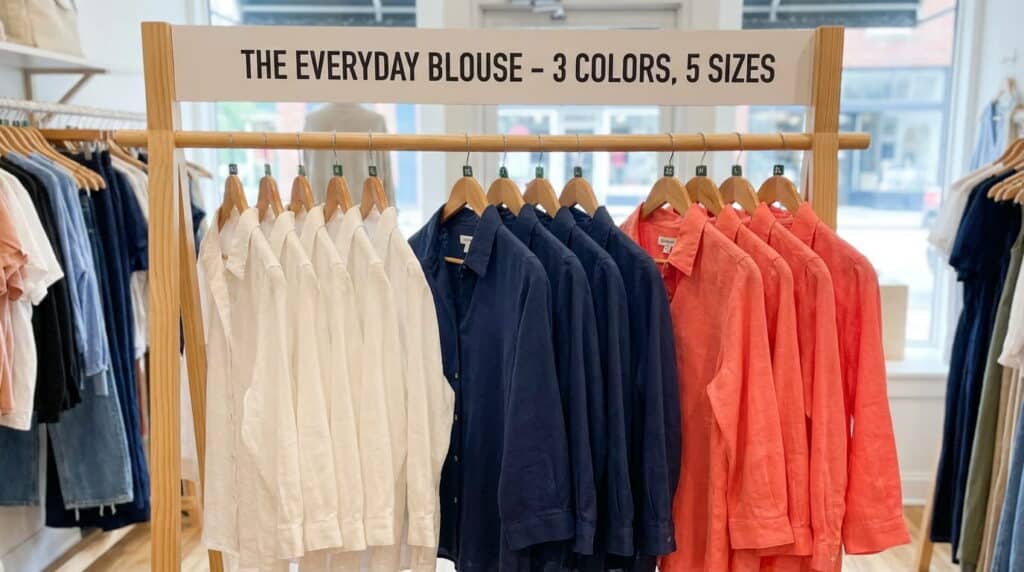
We’ve set up systems for boutiques that were running exactly that way when we met them: fifteen SKUs representing one blouse, a staff member recounting inventory by hand every Sunday because the system’s numbers had drifted, and a checkout process that got visibly slower every time a cashier had to hunt through a flat product list for the right size and color. None of that is a training problem. It’s what happens when a system built for single-SKU retail gets pointed at a business that sells in variants.
The 5 Questions to Ask Before You Compare Vendors
Can it track size, color, and style as one item, not five?
This is the first thing to check, and the easiest to get wrong on a demo. Ask the vendor to show you one product with multiple size and color options, in front of you, as it would appear at checkout. If the answer is a flat list of separate products with similar names, that’s a red flag. Your inventory count depends on treating a blouse in three colors as one item with variants, not three unrelated products that happen to sit next to each other on the shelf.
If your boutique is specifically apparel, this variant question runs even deeper than sizing and color alone, worth reading up on our apparel-specific POS variant tracking guide separately.
Does it sync inventory in real time across every channel you actually use?
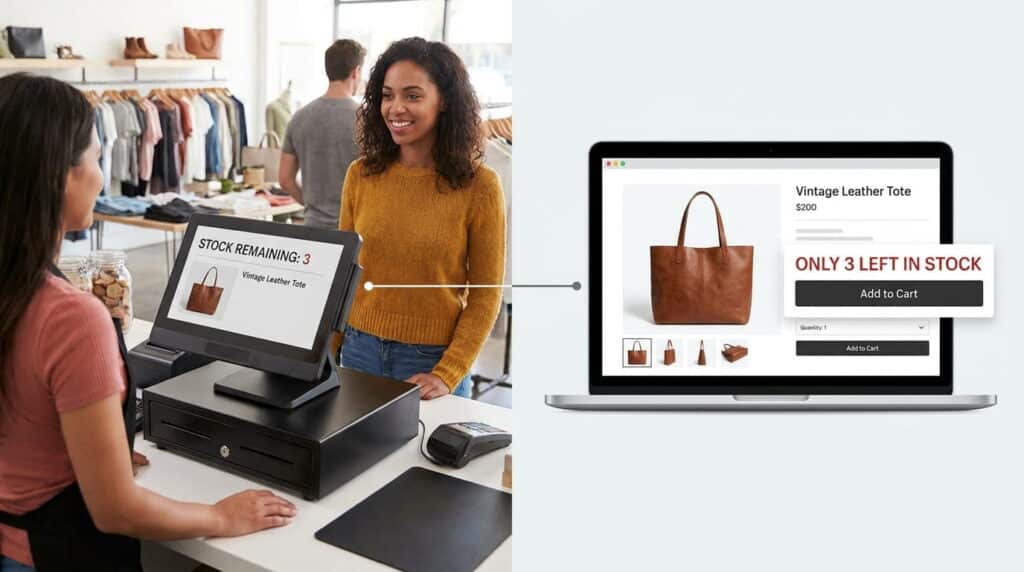
Real time matters here for a specific reason: if you sell in-store and online, a sale on one channel has to update stock on the other immediately, or you’ll sell something you don’t have. But “every channel you actually use” is doing real work in that question. If you’re not selling online yet, don’t pay for ecommerce sync you won’t touch for a year. Ask what the system does for the channels you’re using today, not the ones you might add someday.
Do you need multi-location support today, or are you paying for it too early?
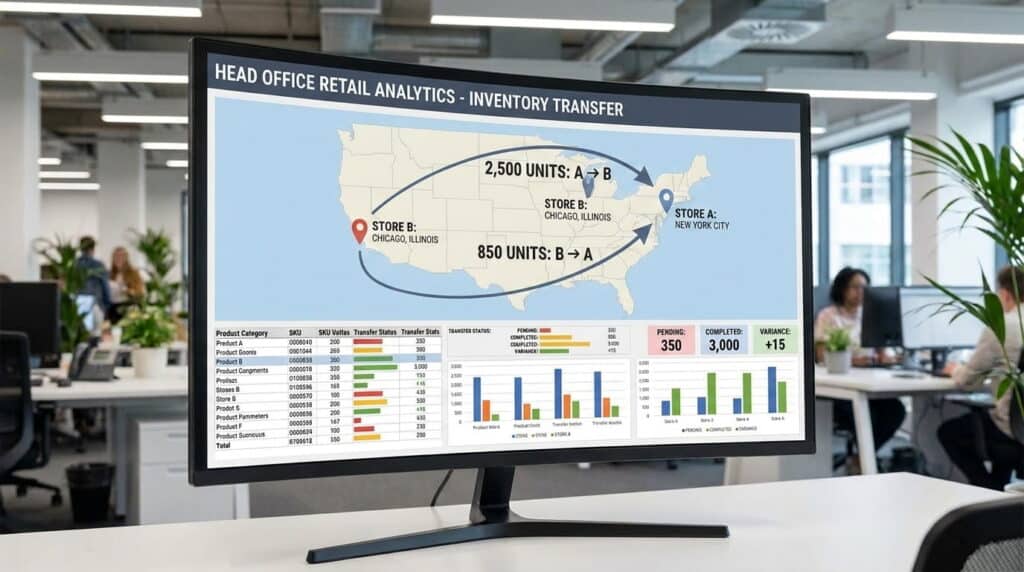
Multi-location management shows up on nearly every boutique POS feature list, and for a single-location shop, most of it is dead weight. The real trigger point is usually the moment you’re managing stock transfers between two physical locations, not the moment you start thinking about a second location. If you’re not there yet, a system’s multi-location tier is a cost and a complexity you don’t need this year, though it’s worth knowing what a full multi-store retail POS system looks like so you’re not surprised by the jump later.
Can staff check inventory and ring up a sale from anywhere on the floor?

During a fitting-room rush, the bottleneck usually isn’t your register, it’s the walk back and forth to check whether a size is in stock. A mobile POS on a tablet or phone lets staff check that from wherever the customer is standing and close the sale on the spot instead of asking them to wait at the counter.
Will it tell you what’s about to sell out before it actually does?
A good system flags low stock before you’re already out, not after. Ask specifically how the alert triggers: is it a fixed quantity threshold you set per item, or a blanket “low stock” flag that doesn’t account for how fast that particular style actually sells? The difference matters more for a boutique than for a big-box store, since a boutique’s best-selling styles can move fast enough that a generic “low stock” flag catches it too late.
Boutique POS vs. Generic Retail POS: The Real Difference
| Generic Retail POS | Boutique-Built POS | |
|---|---|---|
| Variant handling | Each size/color is a separate SKU | Size/color/style tracked as one item |
| Catalog assumption | Built for high-volume, low-variant SKUs | Built for lower-volume, high-variant inventory |
| Customer relationships | Basic purchase history | Preference and style tracking tied to loyalty |
| Best fit | Big-box or single-category retail | Independent shops with curated, changing inventory |
The short version: a generic system assumes you sell a lot of the same few things. A boutique-built system assumes the opposite, that you sell a smaller amount of a lot of different things, and that difference shapes almost everything else on this list.
What This Actually Looks Like in a Working Boutique
We’ve watched this play out the same way more than once. A boutique switches off a generic system, and the first change usually isn’t sales, it’s how fast a return gets processed: instead of hunting through fifteen near-identical SKUs to find which one a returned item belongs to, staff scans it, and the right size and color come up immediately. The second change shows up within the first few weeks, when a reorder gets placed before a popular style actually runs out instead of after.

Neither of those shows up on a feature list. They show up in how the store actually runs day to day, which is the part a checklist can’t tell you and a five-minute demo often won’t either.
See what a system built around that difference looks like on our boutique POS system page.
Frequently Asked Questions
Q: What features does a small boutique actually need, versus what’s just marketing?
A: Start with the five questions above rather than a feature list. If a vendor can’t clearly show you variant handling, honest channel sync, and low-stock alerts in a live demo, the rest of the list doesn’t matter yet.
Q: Can a boutique POS system handle size, color, and style variants without extra manual work?
A: It should, without you needing a workaround. If the vendor’s answer involves a separate product for every size/color combination, that’s manual work disguised as a feature.
Q: What’s the difference between a boutique POS system and a generic retail POS?
A: A generic system assumes high volume and low variant count. A boutique system assumes the opposite: fewer units, more variation, and a customer relationship that depends on knowing preferences, not just transaction history.
Q: Does a single-location boutique need multi-store features, or is that overkill?
A: Usually overkill, until you’re actually managing transfers between two physical locations. Pay for what you need today; most systems let you add multi-location capability when you actually open a second store, not before.
See How a Boutique-Built POS Handles This
Realtime POS tracks size, color, and style as one item, syncs inventory in real time, and only charges for the multi-location tools you actually need. See it built for boutiques like yours.
See the Boutique POS System





