Updated: October 5, 2026
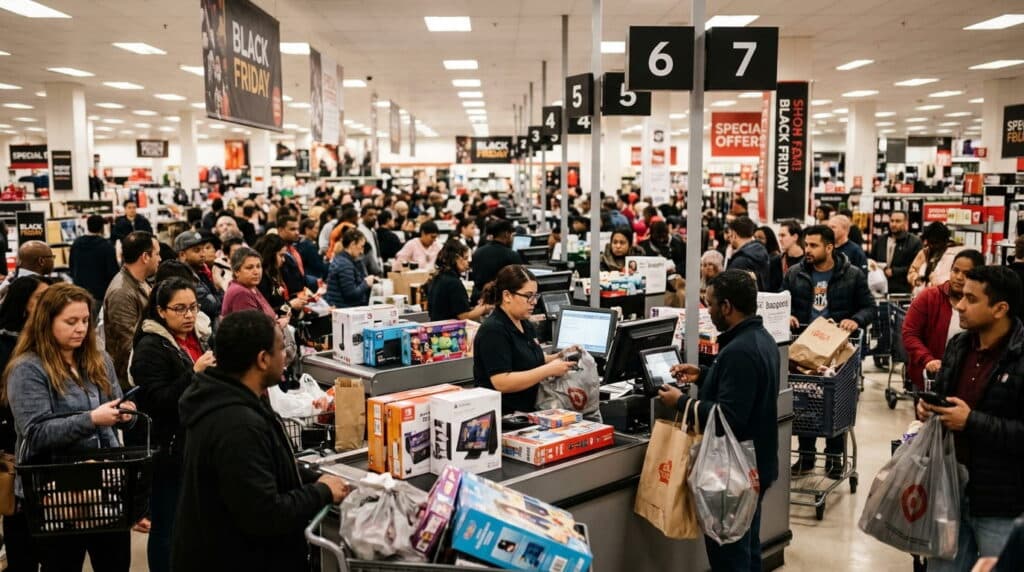
A cashier rings up a sale, taps the total into the payment terminal by hand, then taps it again into the POS to keep the books straight. Multiply that by every transaction, every shift, and the gap between “integrated” and “non-integrated” payments stops being a technical distinction and starts being real staff time.
The convenience case for integration is strong, but it comes with a cost tradeoff most comparisons don’t mention, and that’s worth knowing before you switch.
Key Takeaways
- Integrated payments sync automatically with your POS, cutting manual entry and errors, but they can carry higher per-transaction fees than standalone processing.
- Non-integrated payments cost less upfront and per transaction, at the price of manual reconciliation and slower checkout.
- A growing number of retailers are offsetting integrated payments’ higher fees with dual pricing or surcharging, a legal, POS-supported option, not a workaround.
Table of Contents
- What Are Integrated Payments?
- What Are Non-Integrated Payments?
- Key Differences Between Integrated and Non-Integrated Payments
- Benefits of Integrated Payments
- Drawbacks of Non-Integrated Payments
- The Cost Tradeoff Most Comparisons Skip
- Choosing the Right Payment Setup for Your Business
- Frequently Asked Questions
What Are Integrated Payments?
Integrated payment systems connect directly with your POS or business management software. When a customer pays, the POS system records the transaction automatically, updating sales, inventory, and reporting instantly without manual input. Your POS software updates inventory and reflects the sale in your reports instantly, eliminating extra steps for your staff.
What Are Non-Integrated Payments?
Non-integrated systems require cashiers to manually enter transaction amounts into both the POS system and payment terminal for payment. Afterward, sales and payment data must be reconciled manually, a process that increases the chance of errors and takes more time.
Key Differences Between Integrated and Non-Integrated Payments
| Feature | Integrated Payments | Non-Integrated Payments |
|---|---|---|
| Data Entry | Automatic synchronization between POS and payment terminal | Manual entry required for each transaction |
| Error Reduction | Minimal risk of human error | Higher chance of duplicate or incorrect entries |
| Reporting | Real-time updates and consolidated reports | Requires manual reconciliation |
| Checkout Speed | Faster and smoother for customers | Slower due to double entry |
| Customer Experience | Seamless and professional | Less efficient and more time-consuming |
| Security | Centralized and PCI-compliant | May require additional steps to ensure compliance |
Benefits of Integrated Payments
- Time savings through streamlined checkout.
- Improved accuracy: because sales and payment data sync automatically, there’s no risk of mismatched transactions or manual entry errors, which helps keep financial records accurate.
- Enhanced customer experience with shorter wait times.
- Better business insights through unified reporting dashboards.
- Simplified end-of-day reconciliation.
Drawbacks of Non-Integrated Payments
- Manual workload: employees must enter data twice, once in the POS and once in the terminal.
- Higher risk of errors from double entry.
- Longer checkout times.
- Limited data visibility for unified reporting.
The Cost Tradeoff Most Comparisons Skip
Here’s the part most integrated-payments pitches leave out: integrated systems often come with higher per-transaction fees than standalone processing, a real cost, not a hypothetical one. It’s the reason non-integrated setups still make sense for some retailers, lower upfront cost, lower per-transaction rate, in exchange for the manual work.
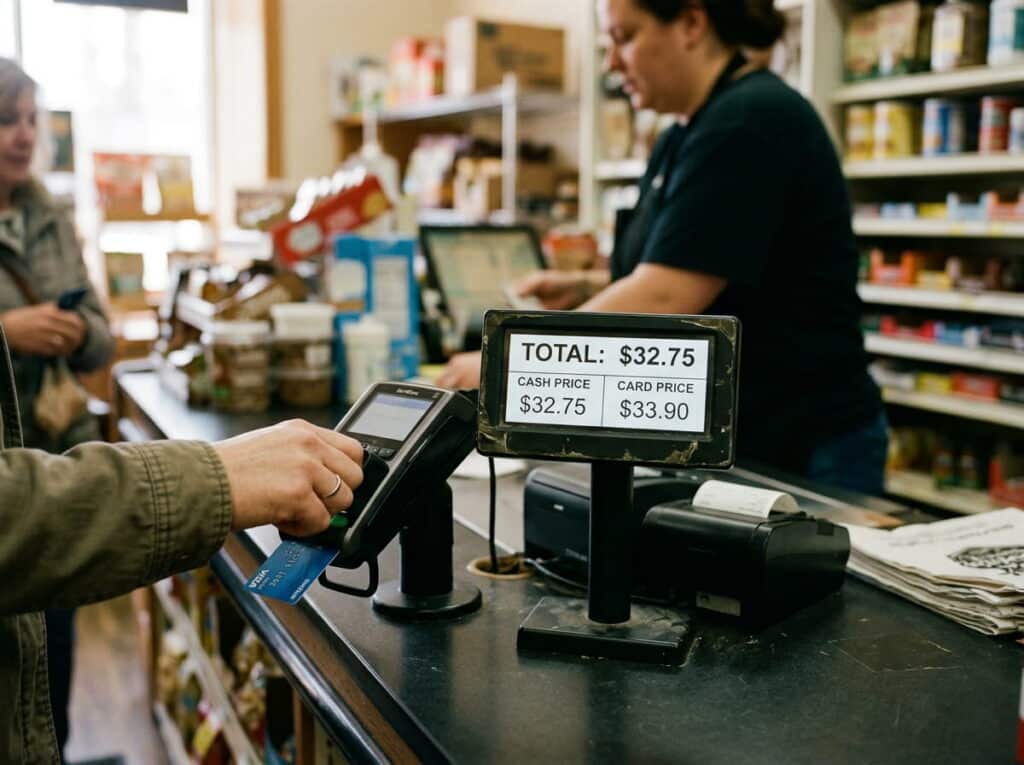
That’s increasingly how retailers are handling it, not by avoiding integrated payments, but by offsetting the fee gap. Research from J.D. Power found that 34% of small businesses now add a surcharge when a customer pays by card, based on a survey of 3,841 U.S. small businesses. Dual pricing works the same way, showing a cash price and a card price side by side, so the card-processing cost gets reflected at the point of sale instead of being absorbed entirely by the business.
Realtime POS supports this directly through its Dual Pricing option, which shows a simple cash vs. non-cash total on receipts and customer-facing displays, so you don’t have to choose between an integrated system’s convenience and controlling what it actually costs you.
Choosing the Right Payment Setup for Your Business
Decision factors include business volume, reporting needs, customer experience goals, and POS compatibility.
In our experience working with independent retailers, the ones who regret going integrated almost always skipped the fee conversation upfront, they assumed “integrated” meant “cheaper,” when the real win is the time saved, not necessarily the processing rate.
Realtime POS integrates with Shift4, a payments processor listed on the New York Stock Exchange under the ticker FOUR, directly within the POS, so transactions, security, and reporting all run through one system instead of two.
Conclusion
Integrated payment solutions offer real advantages in efficiency, accuracy, and scalability over non-integrated systems. The tradeoff is cost, not capability, and tools like dual pricing exist specifically to close that gap rather than force a choice between the two.
Frequently Asked Questions
Are integrated platforms more reliable than payment-only tools?
Should I use integrated checkout for my business?
Hosted vs. integrated checkout: what’s the difference?
What is dual pricing, and does it work with an integrated POS?
See Integrated Payments and Dual Pricing Together
Walk through your actual transaction volume and fee structure with us, and we’ll show you exactly what integration costs and saves for your store.
No pressure, no obligation, just a real walkthrough.